Categories
 Agentic Ailune
 Profile
 Contacts
 Notes & Cloud Files
 CRM
CRM Billing
 Quote Flow
 Tasks
Tasks ClockEase & Payroll
 Phone Hub
 Booking Hub
 Fleet Hub
 HireFlow
 Cybix AI
 Connect
 Administration
 Sales & Operations
 Video Meeting
- Cybix App
- About the development company.
- About my Membership
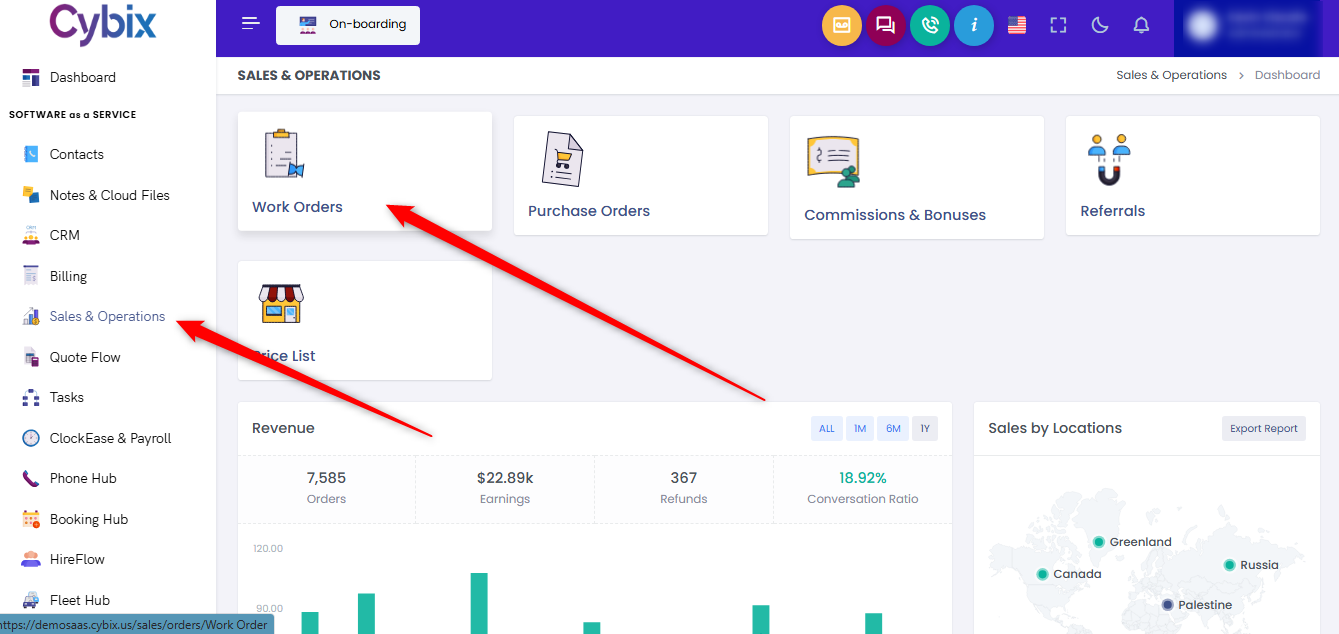
From the left sidebar, select the Sales & Operations module. Once inside the main dashboard panel, locate and click on the Work Orders card to access the operational assignments registry.
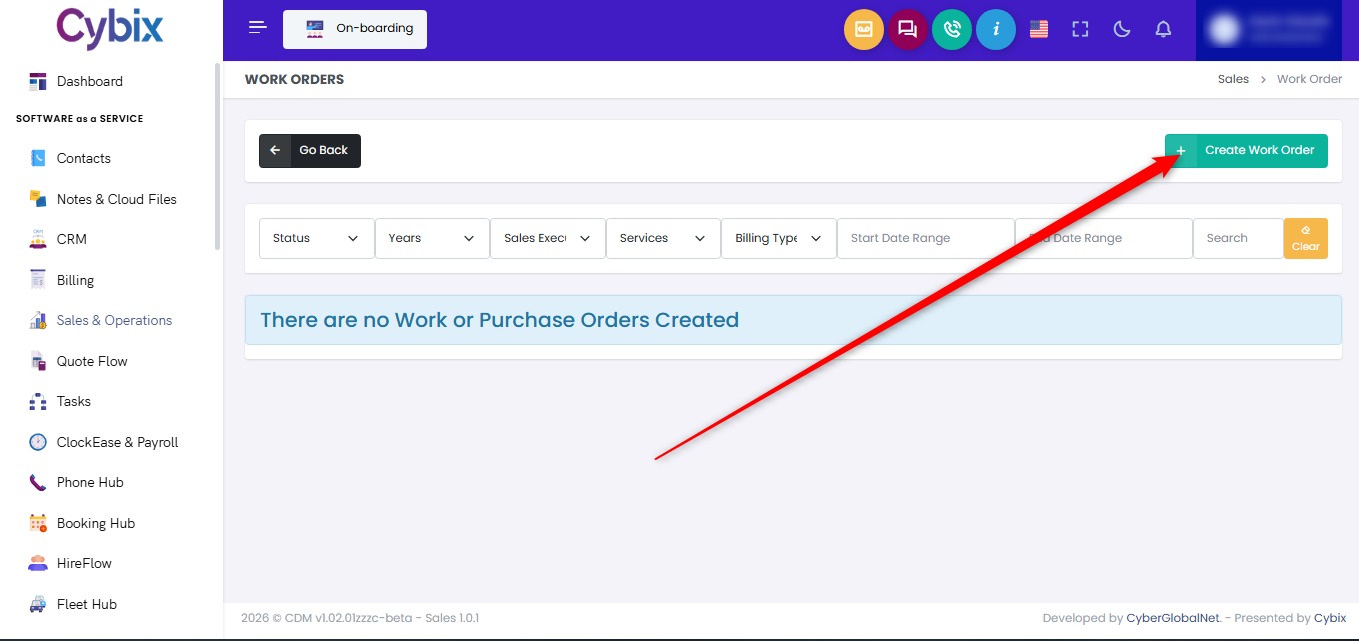
Within this management area, navigate to the upper right corner of the screen and click the green Create Work Order button to open the creation form modal.
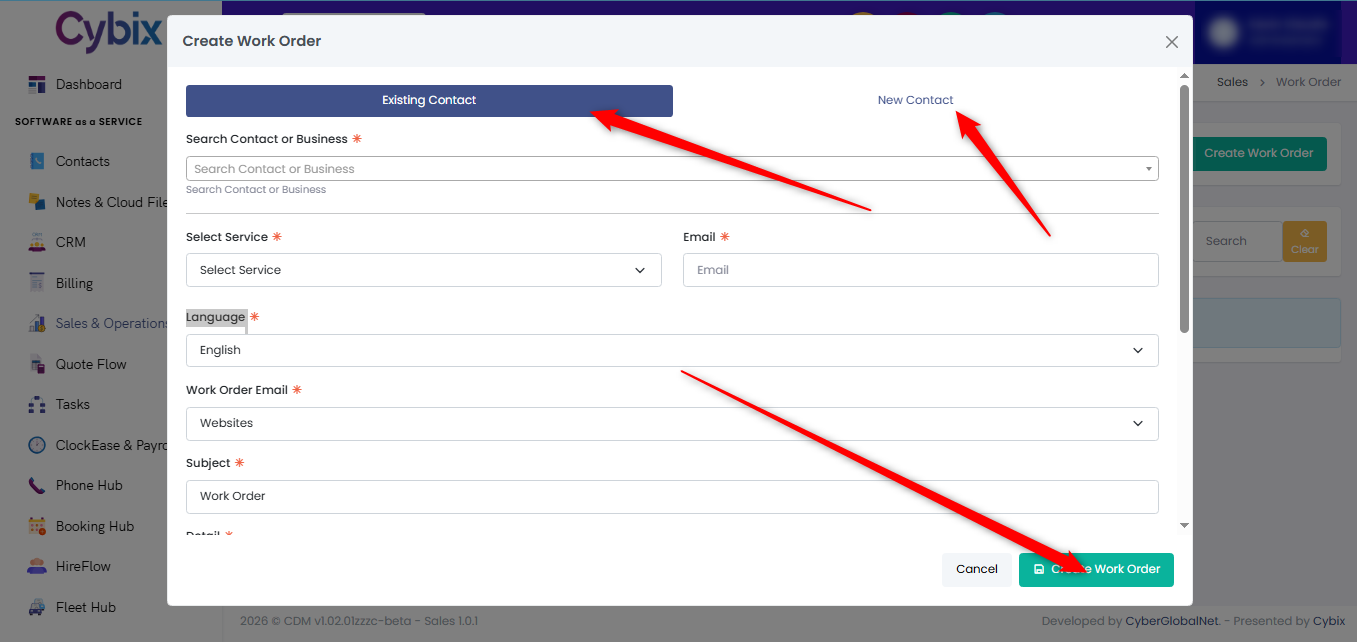
Inside the creation modal, choose whether to attach the assignment to an Existing Contact or register a New Contact using the top selection tabs. Complete the required fields by identifying the specific customer or business in the Search Contact or Business input, choosing the appropriate option from the Select Service dropdown menu, and entering the client’s email address. To wrap up the setup, verify the operational language, specify the appropriate routing group in the Work Order Email dropdown, type in the Subject line, and add any specific instruction details before clicking the green Create Work Order button at the bottom right corner to save and generate the record.