Categories
 Profile
 Contacts
 Notes & Cloud Files
 CRM
CRM Billing
 Quote Flow
 Tasks
Tasks ClockEase & Payroll
 Phone Hub
 Booking Hub
 Fleet Hub
 HireFlow
 Cybix AI
 Connect
 Administration
 Sales & Operations
 Video Meeting
- Cybix App
- About the development company.
- About my Membership
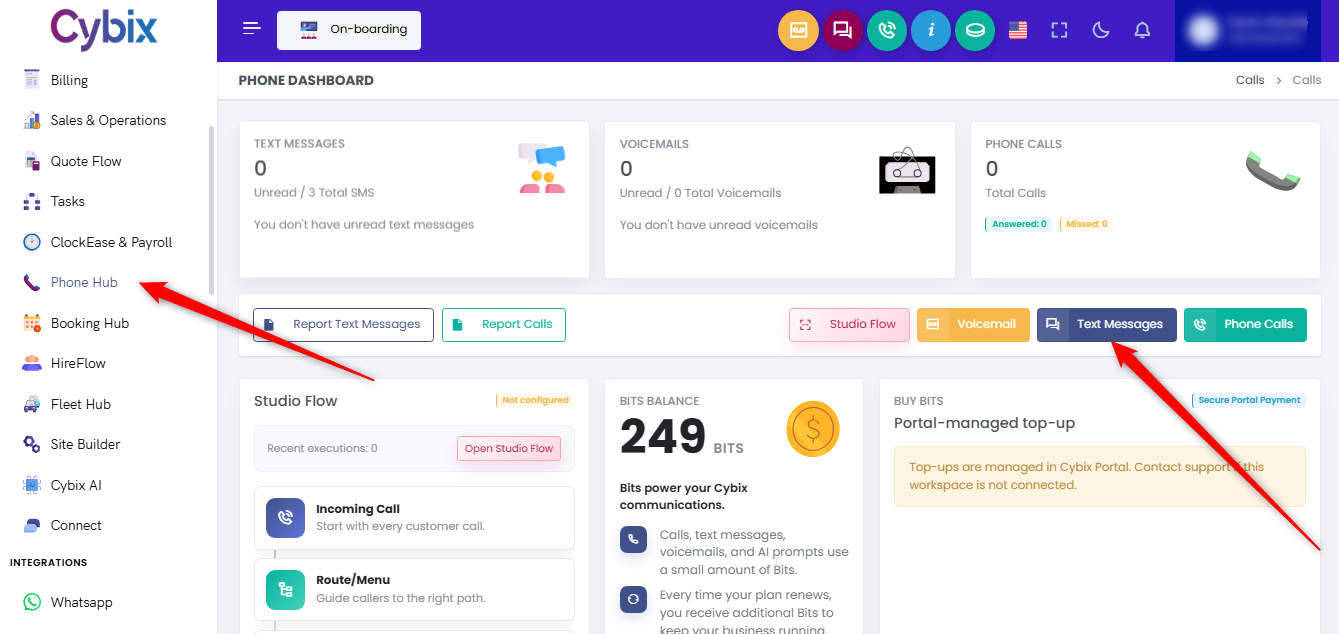
From the left sidebar, select the Phone Hub module. Within the main interface, navigate to the center section and click the white Report Text Messages button.
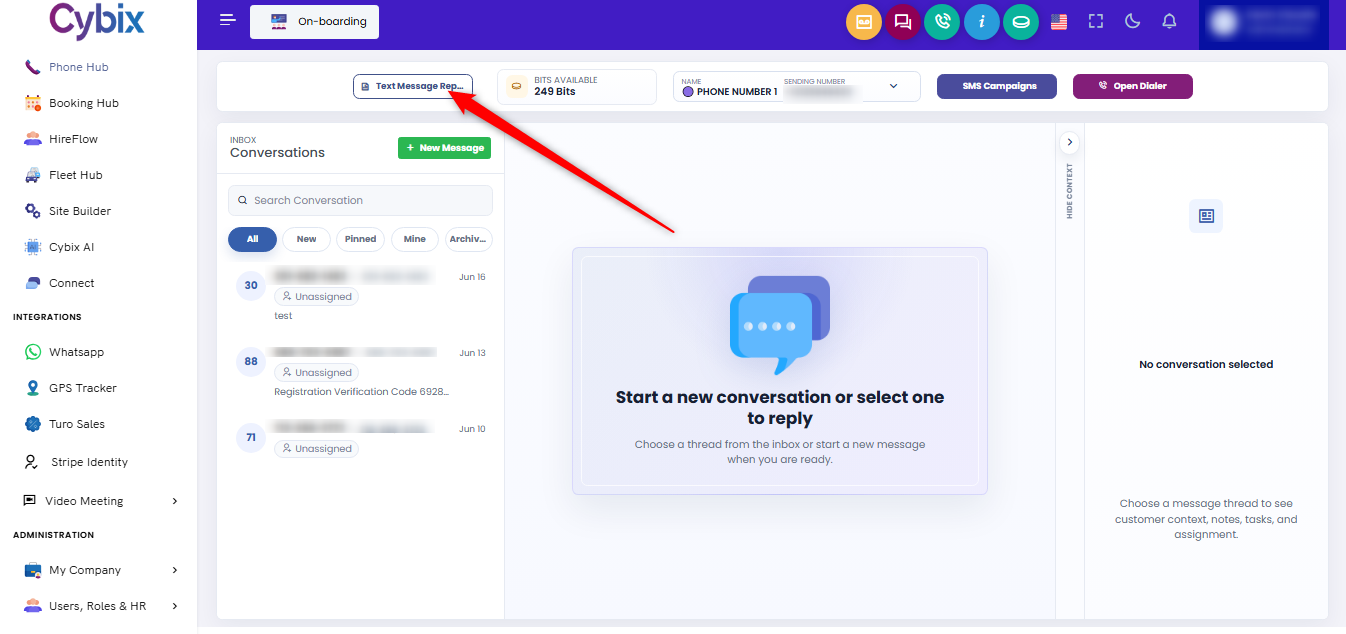
Alternatively, if you are already inside the chat dashboard, you can open this directory by clicking the Text Message Report button located at the top left of the chat panel.
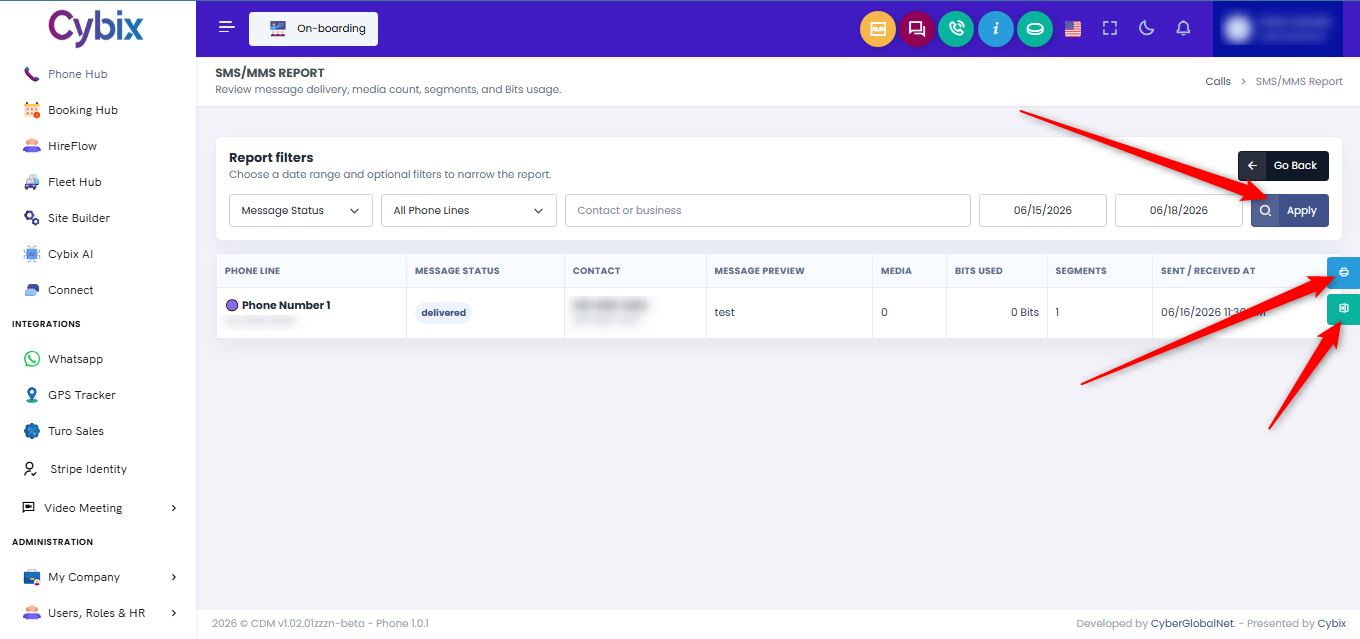
Once inside the SMS/MMS Report management directory, use the configuration filters stretching across the top to narrow down the data matrix:
-
Filter logs by Message Status or sort transactions across All Phone Lines.
-
Isolate specific conversations by typing a user into the Contact or business input box.
-
Establish a definitive timeline using the date range calendar picker fields.
Click the dark blue Apply button on the right to update the records log grid based on your chosen filters.
To document or extract your filtered communication audit history, utilize the export shortcut buttons located on the far right edge of the table list:
-
Click the light blue Printer icon button to prepare and print your data log.
-
Click the green Excel spreadsheet icon button to instantly download your formatted data file directly to your device.