Categories
 Profile
 Contacts
 Notes & Cloud Files
 CRM
CRM Billing
 Quote Flow
 Tasks
Tasks ClockEase & Payroll
 Phone Hub
 Booking Hub
 Fleet Hub
 HireFlow
 Cybix AI
 Connect
 Administration
 Sales & Operations
 Video Meeting
- Cybix App
- About the development company.
- About my Membership
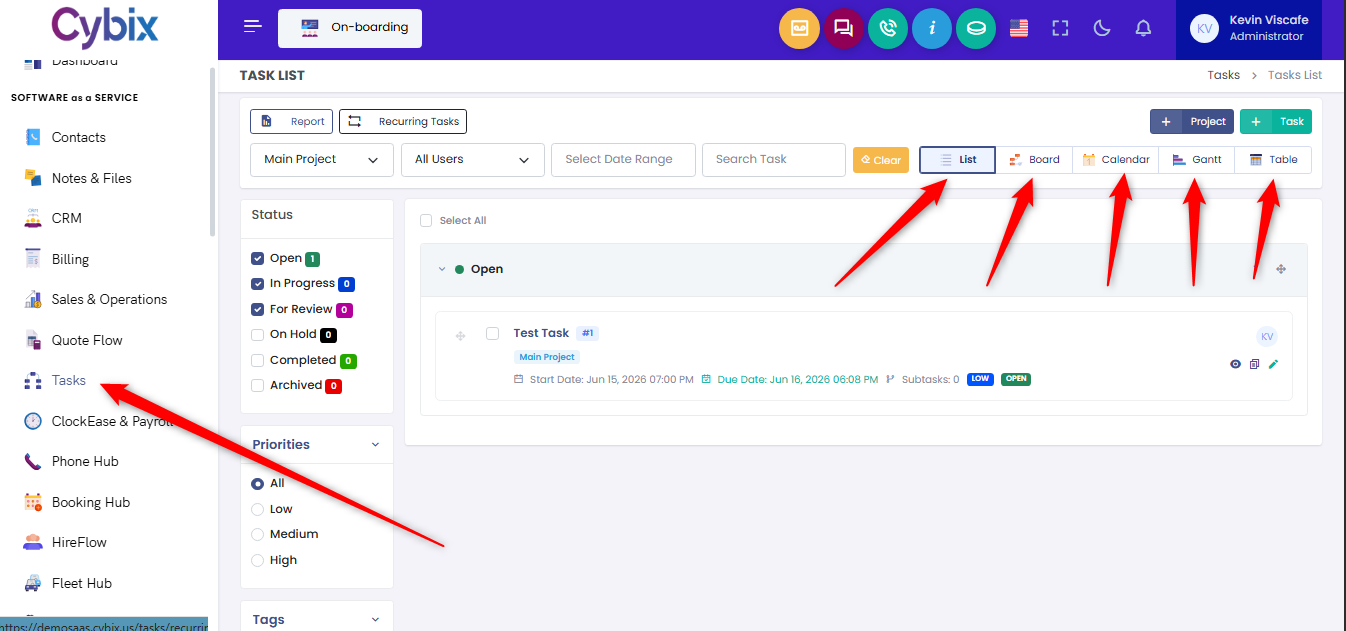
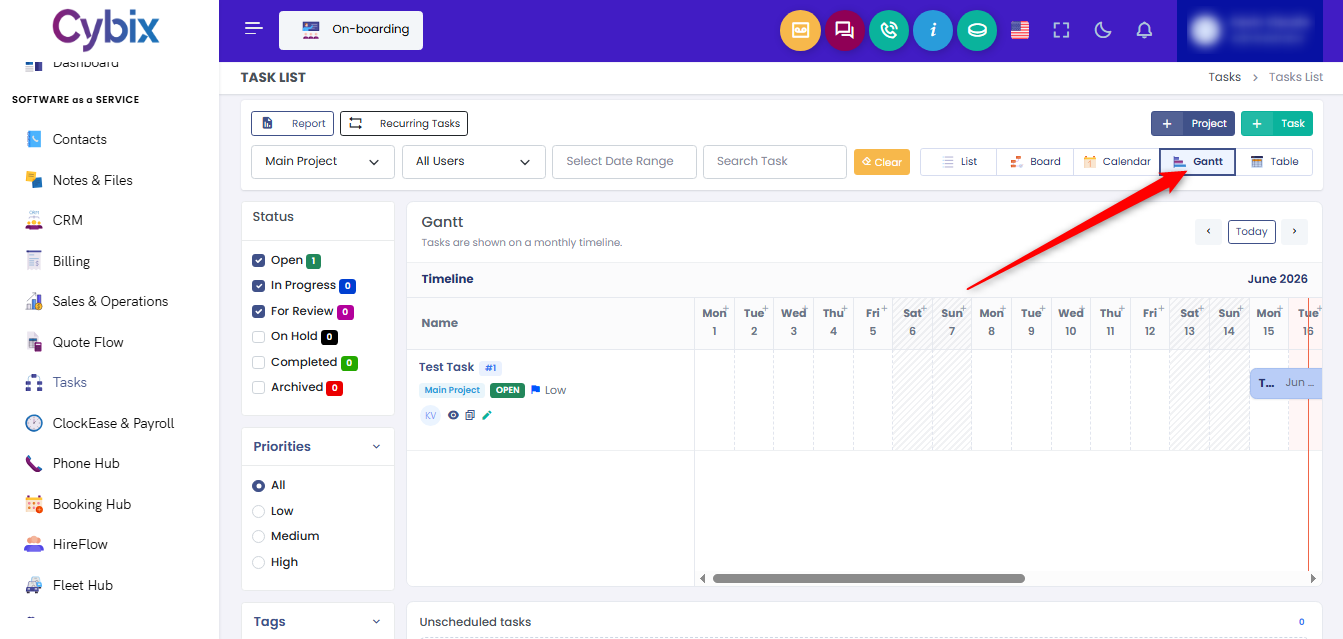
From the left sidebar, click on the Tasks module to open the primary workspace directory. To customize how your workflows and projects are structured on the screen, utilize the row of view optimization buttons located in the upper right section of the main control panel:
-
List: Click this button to group assignments into clean, vertical dropdown blocks segmented by their current operation status.
-
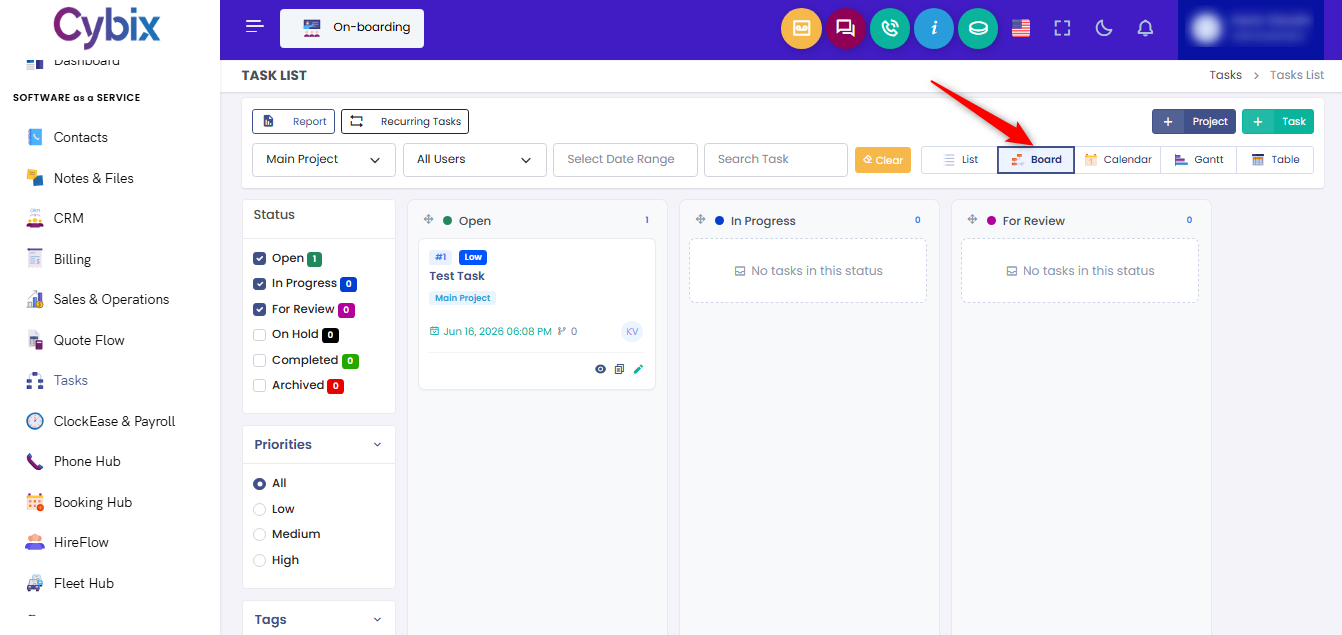
Board: Click this button to transform your workspace into a Kanban-style layout, organizing assignments into side-by-side progression columns.
-
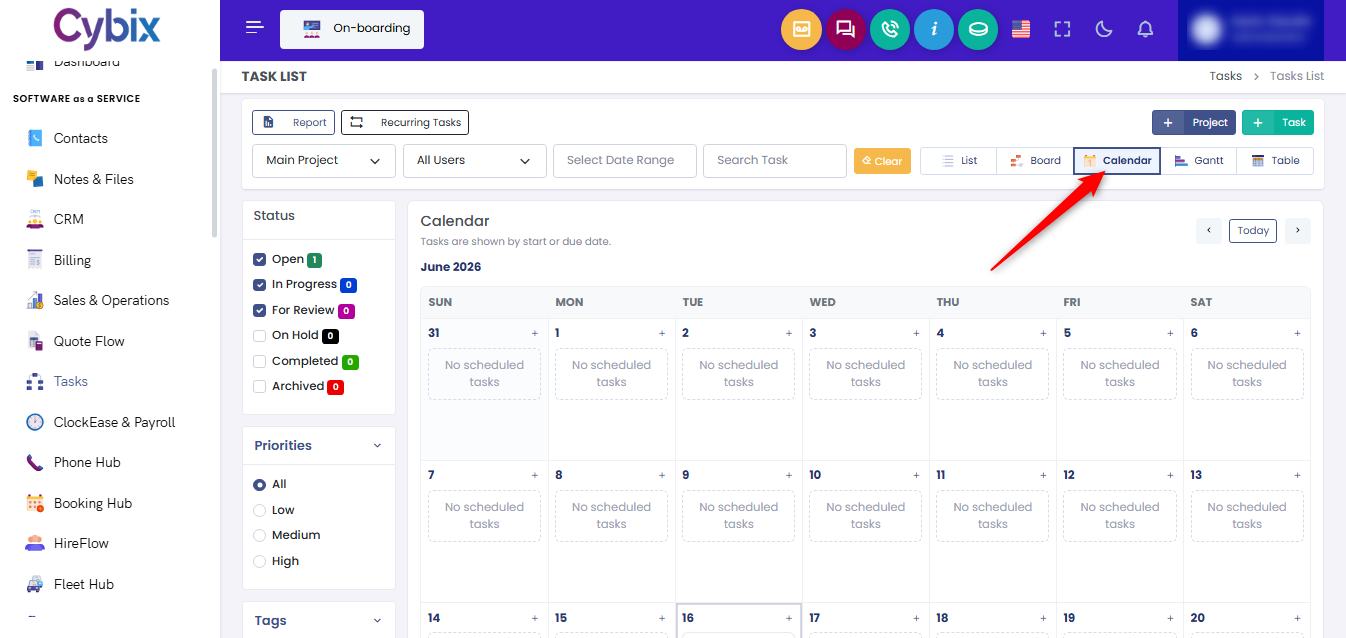
Calendar: Click this button to populate tasks onto a standard monthly calendar grid organized by their start or due dates.
-
Gantt: Click this button to overlay your operations onto a continuous, horizontal monthly timeline to track project schedules.
-
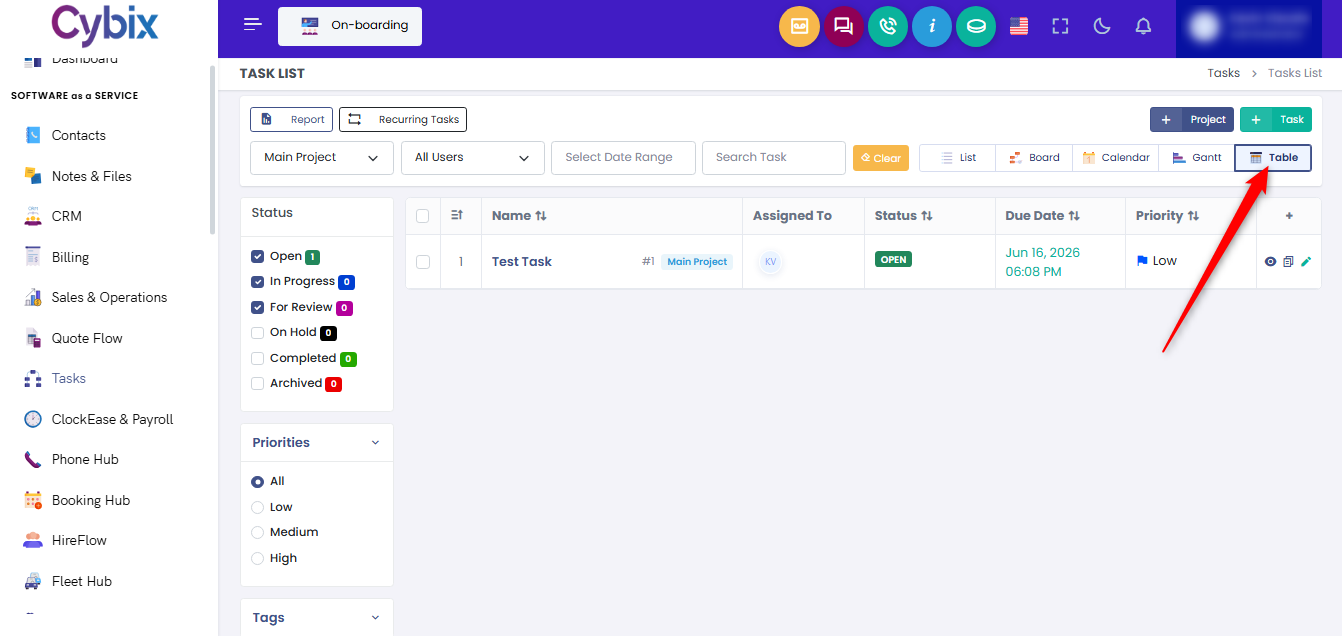
Table: Click this button to arrange all entries into a classic spreadsheet matrix, allowing you to quickly inspect and sort parameters like assignment names, owners, due dates, and priority tags.