Categories
 Agentic Ailune
 Profile
 Contacts
 Notes & Cloud Files
 CRM
CRM Billing
 Quote Flow
 Tasks
Tasks ClockEase & Payroll
 Phone Hub
 Booking Hub
 Fleet Hub
 HireFlow
 Cybix AI
 Connect
 Administration
 Sales & Operations
 Video Meeting
- Cybix App
- About the development company.
- About my Membership
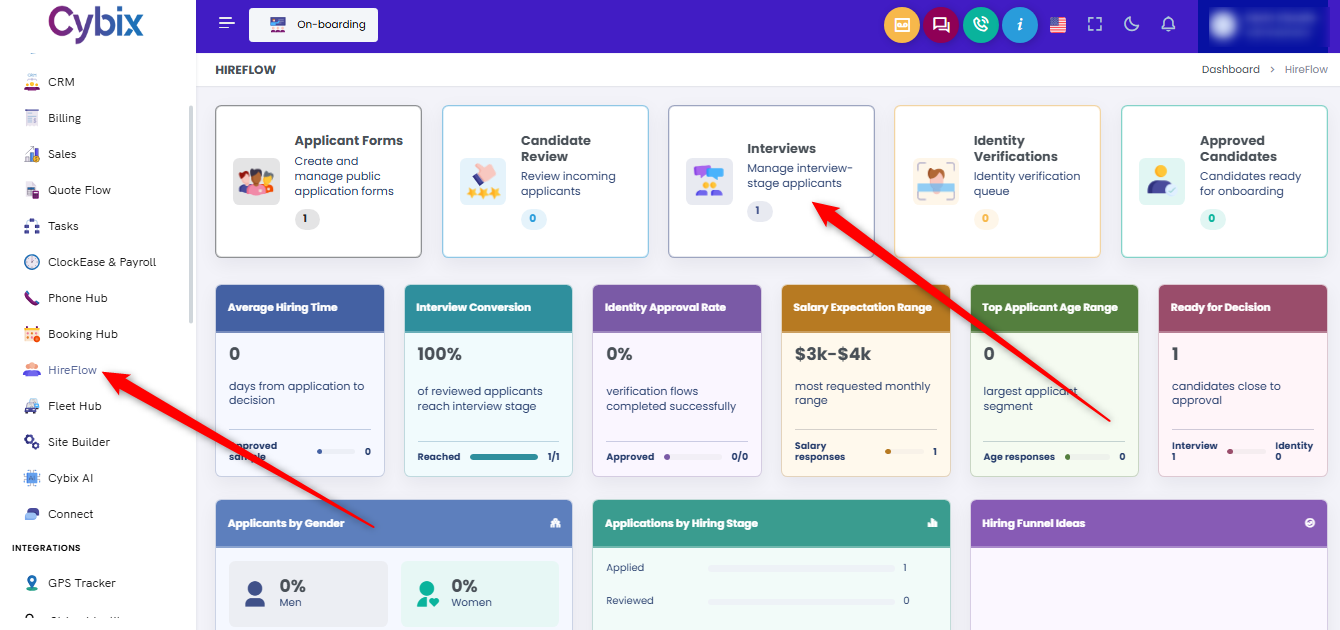
From the left sidebar, select the HireFlow module. Once inside the main dashboard, locate and click on the Interviews card to access the list of applicants currently in the interview stage.
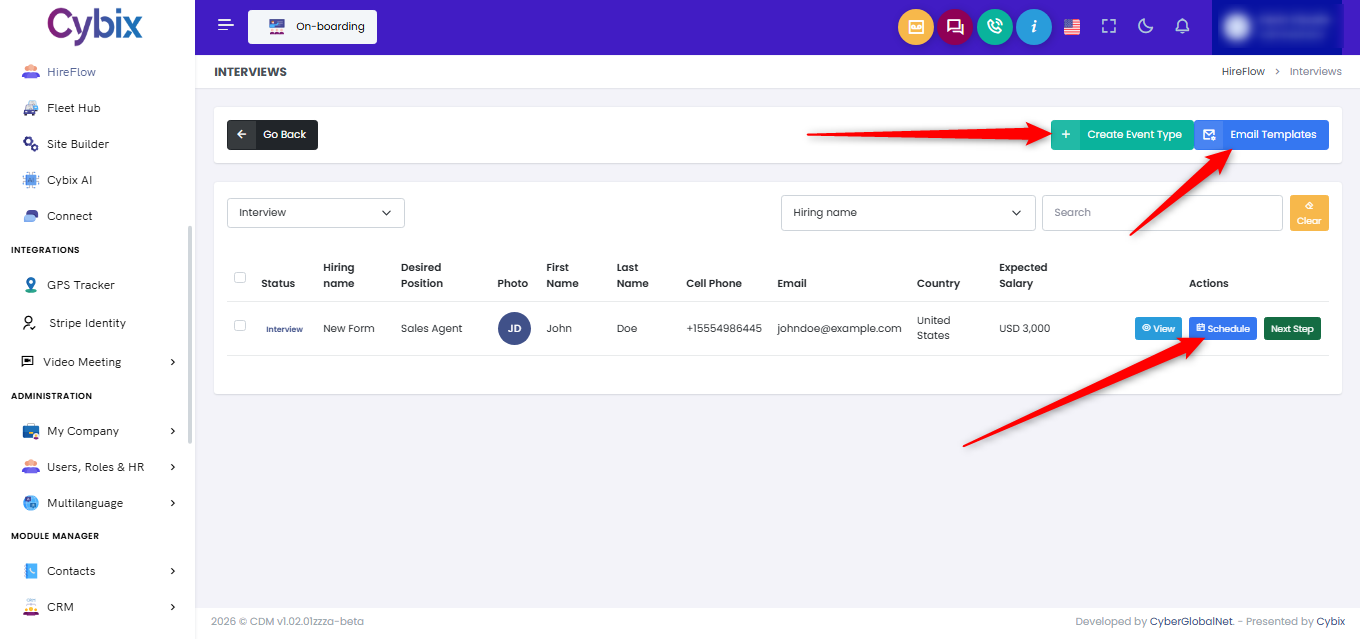
Within the candidate tracking table, find the specific applicant row and look at the options available under the actions column on the right side. Click the blue Schedule button assigned to that specific candidate.
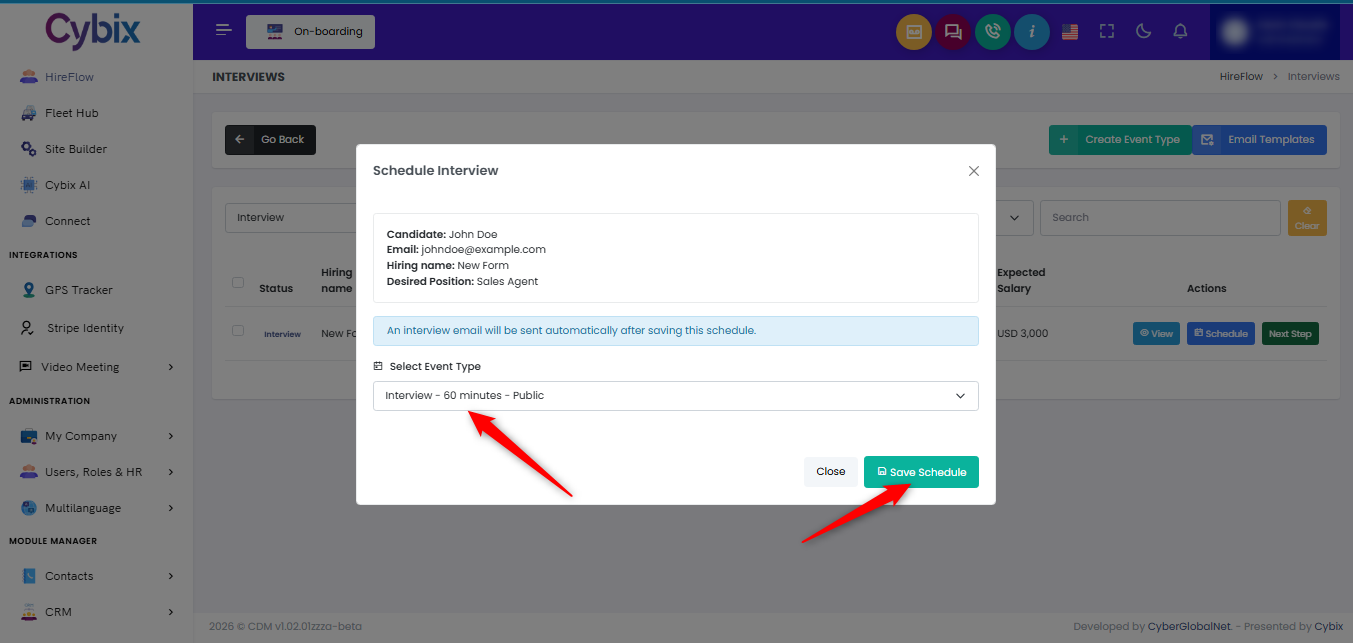
Once the “Schedule Interview” modal opens, review the pre-filled applicant data and select the desired meeting category using the “Select Event Type” dropdown menu. Click the teal Save Schedule button in the lower-right corner of the window to log the arrangement and automatically trigger the notification email.
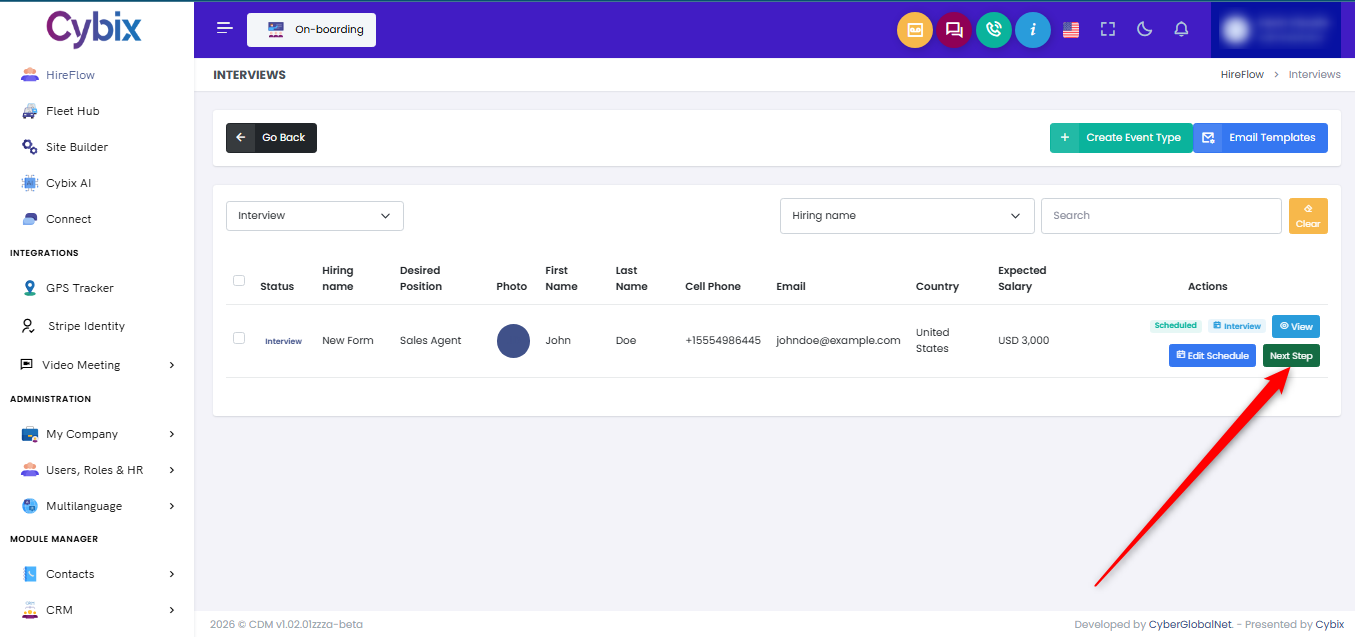
After the session has been successfully booked, the status will update within the management list. When it is time to move the candidate forward in the recruitment funnel, look back at the actions column and click the green Next Step button to advance their profile.