Categories
 Profile
 Contacts
 Notes & Cloud Files
 CRM
CRM Billing
 Quote Flow
 Tasks
Tasks ClockEase & Payroll
 Phone Hub
 Booking Hub
 Fleet Hub
 HireFlow
 Cybix AI
 Connect
 Administration
 Sales & Operations
 Video Meeting
- Cybix App
- About the development company.
- About my Membership
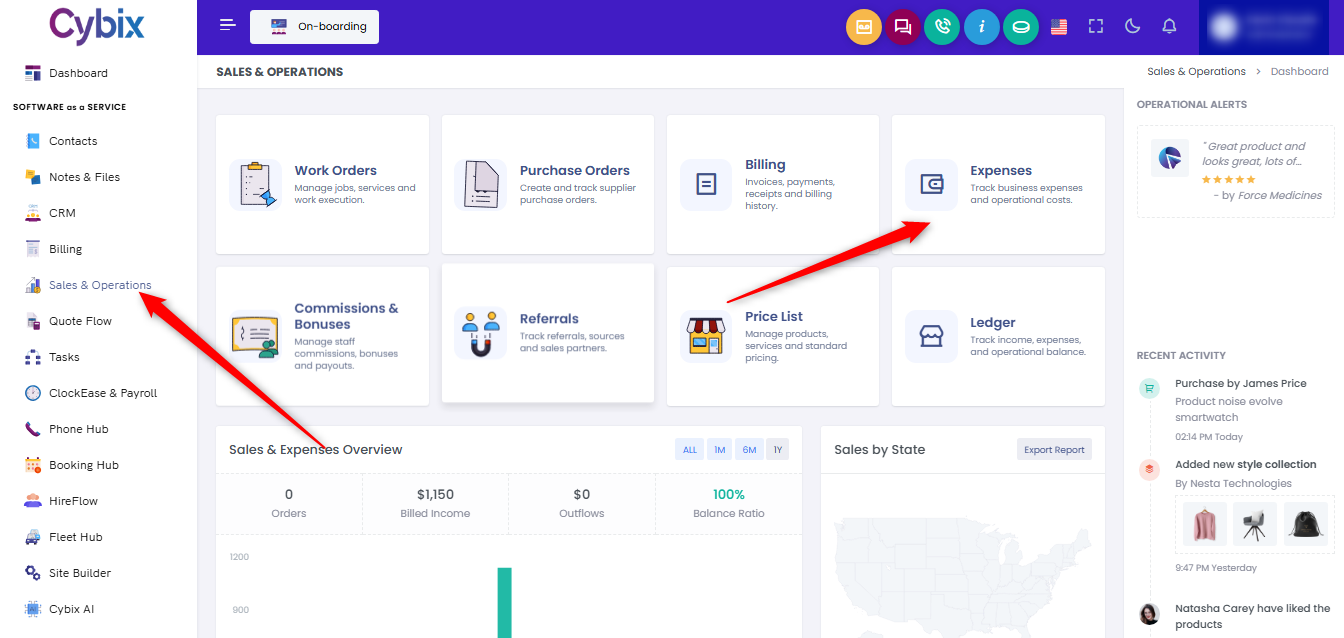
From the left sidebar, select the Sales & Operations module. Once inside the main dashboard panel, locate and click on the Expenses card to open the operational costs and business outflow registry.
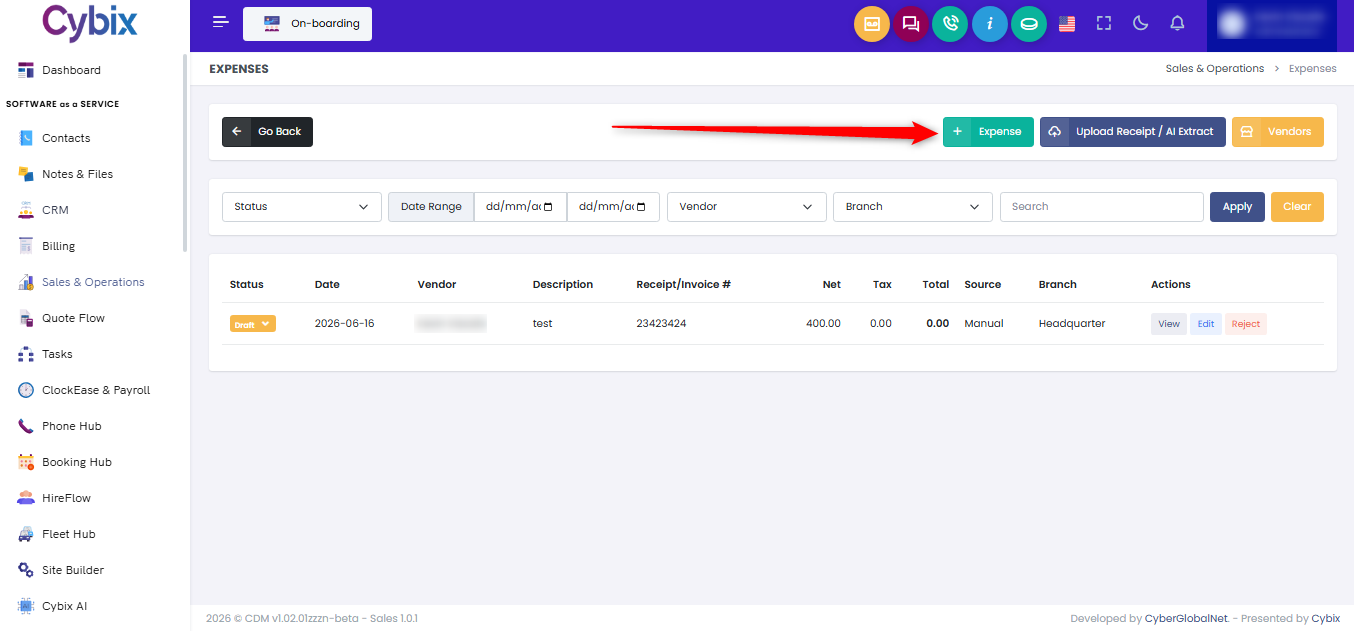
Within this tracking directory, you can add or manage entries using the management buttons located in the upper right corner:
-
Click the green + Expense button to manually log a new operational cost form.
-
Click the purple Upload Receipt / AI Extract button to automatically import transactional data from a digital receipt image or document.
-
Click the yellow Vendors button to manage your list of registered business suppliers and providers.
To search and monitor existing logs, utilize the top horizontal filtering bar. You can refine your layout using the dropdown selectors for Status, Vendor, or Branch, or set explicit chronological boundaries using the Date Range fields. Type any key terms into the available search box and click the dark blue Apply button to update the list, or click the yellow Clear button to completely wipe all applied configurations and reset the full master log view.