Categories
 Agentic Ailune
 Profile
 Contacts
 Notes & Cloud Files
 CRM
CRM Billing
 Quote Flow
 Tasks
Tasks ClockEase & Payroll
 Phone Hub
 Booking Hub
 Fleet Hub
 HireFlow
 Cybix AI
 Connect
 Administration
 Sales & Operations
 Video Meeting
- Cybix App
- About the development company.
- About my Membership
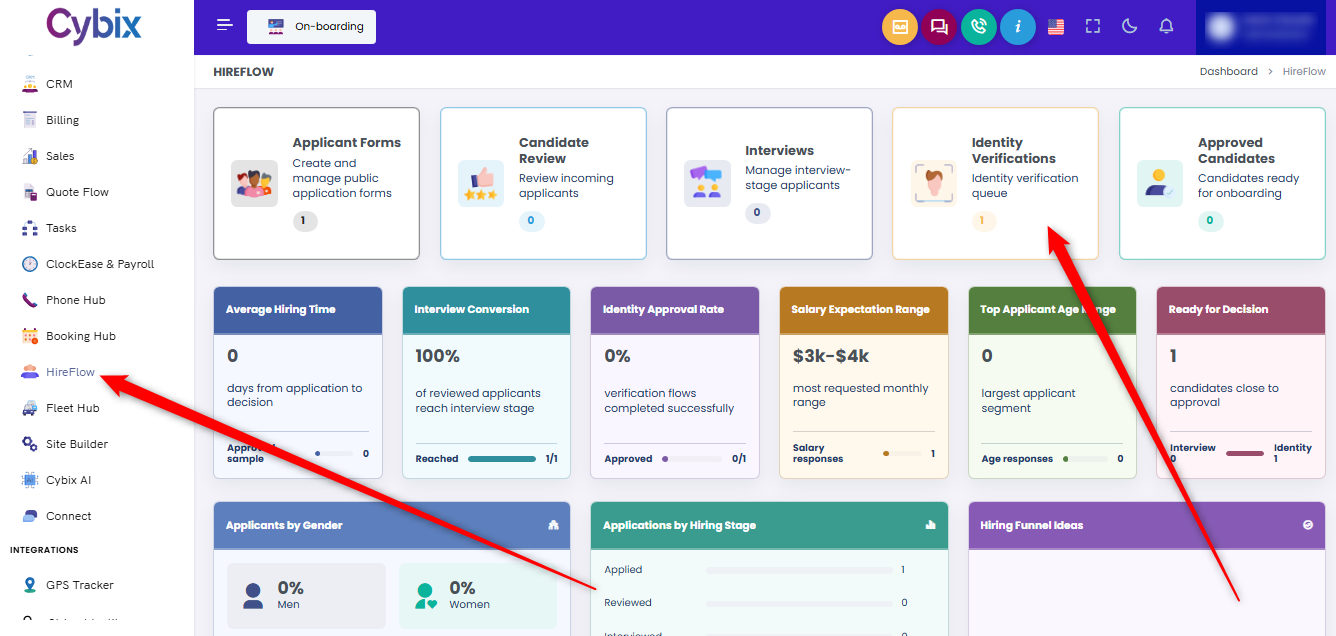
From the left sidebar, select the HireFlow module. Once inside the main dashboard, locate and click on the Identity Verifications card to access the queue of candidates awaiting validation.
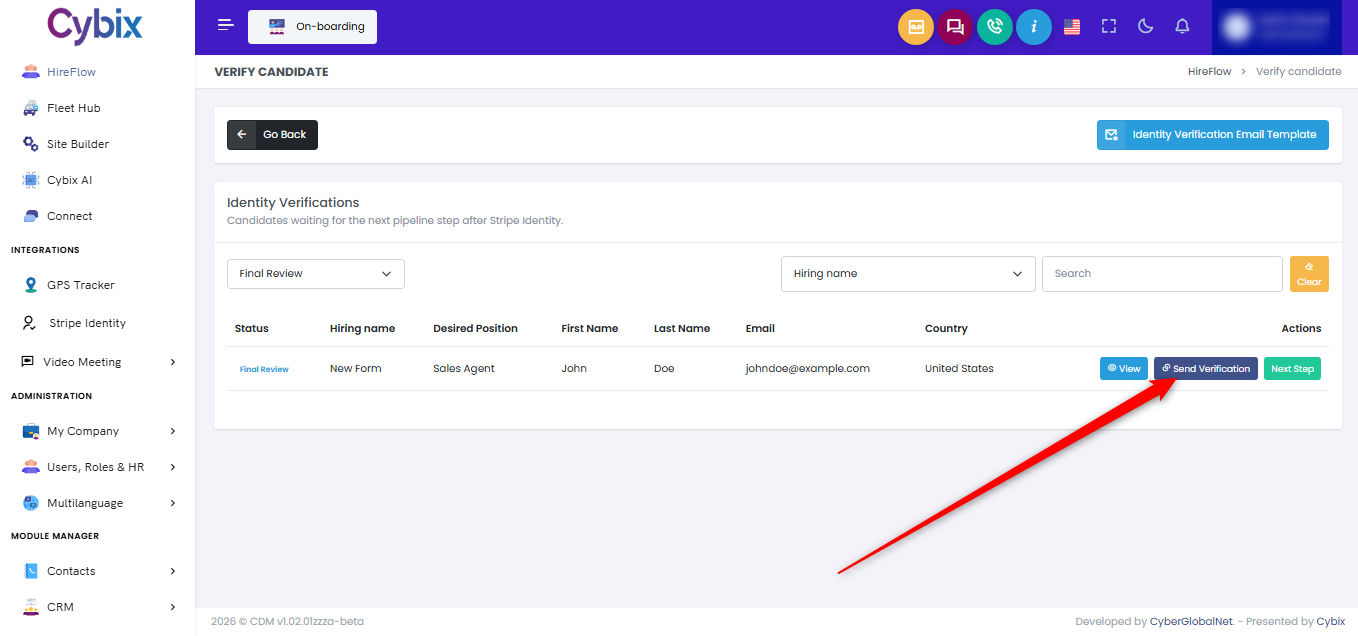
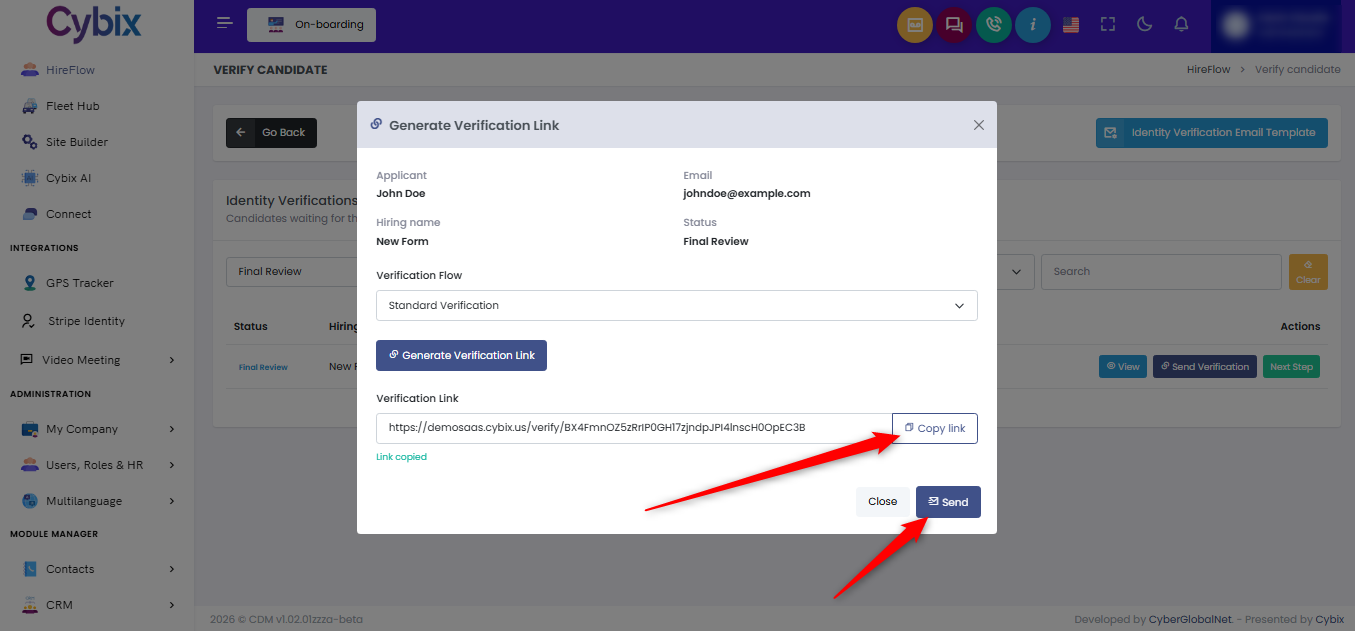
Within the verification list, find the targeted candidate row and navigate to the right side under the actions column. Click the dark blue Send Verification button assigned to that profile.
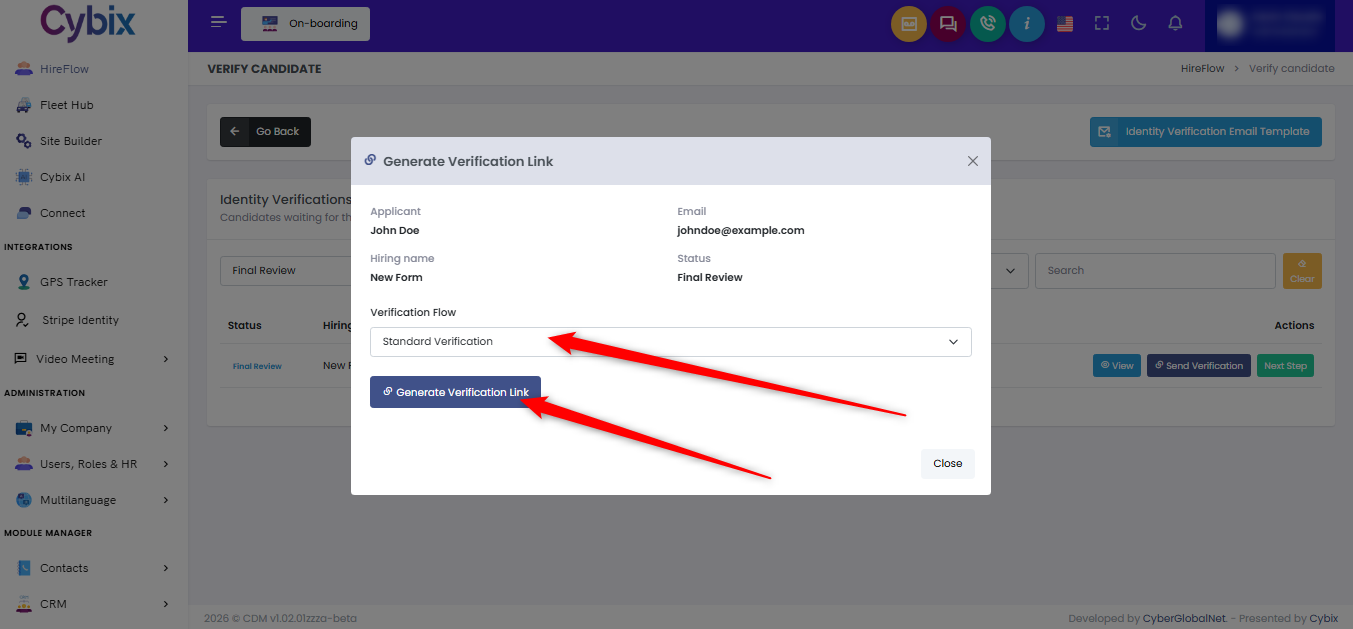
When the “Generate Verification Link” modal window appears, use the “Verification Flow” dropdown menu to set the required processing type. Click the blue Generate Verification Link button directly below it to establish the secure matching path.
Once the link generates successfully, click the white Copy link button to copy the direct URL to the clipboard, or click the dark blue Send button at the bottom right to dispatch it straight to the applicant.
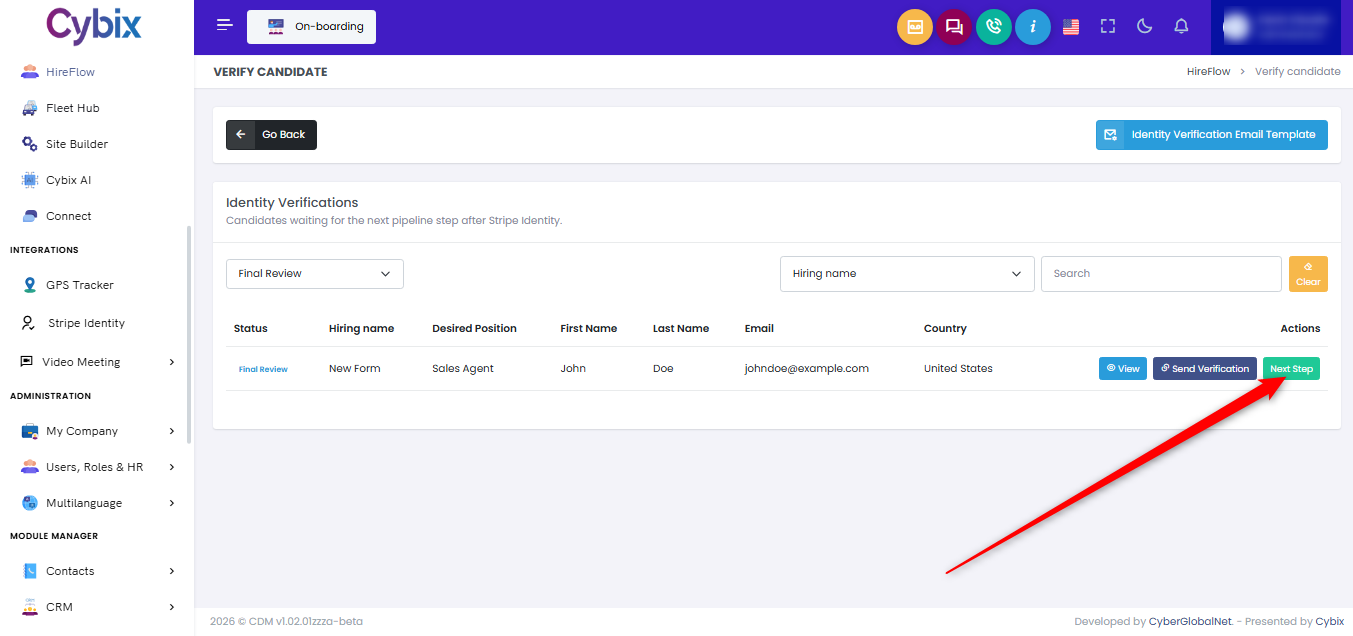
After the candidate completes the process and the data has been verified, return to the main dashboard table view. Locate the candidate entry under the actions column once more and click the green Next Step button to advance them to the next pipeline stage.