Categories
 Agentic Ailune
 Profile
 Contacts
 Notes & Cloud Files
 CRM
CRM Billing
 Quote Flow
 Tasks
Tasks ClockEase & Payroll
 Phone Hub
 Booking Hub
 Fleet Hub
 HireFlow
 Cybix AI
 Connect
 Administration
 Sales & Operations
 Video Meeting
- Cybix App
- About the development company.
- About my Membership
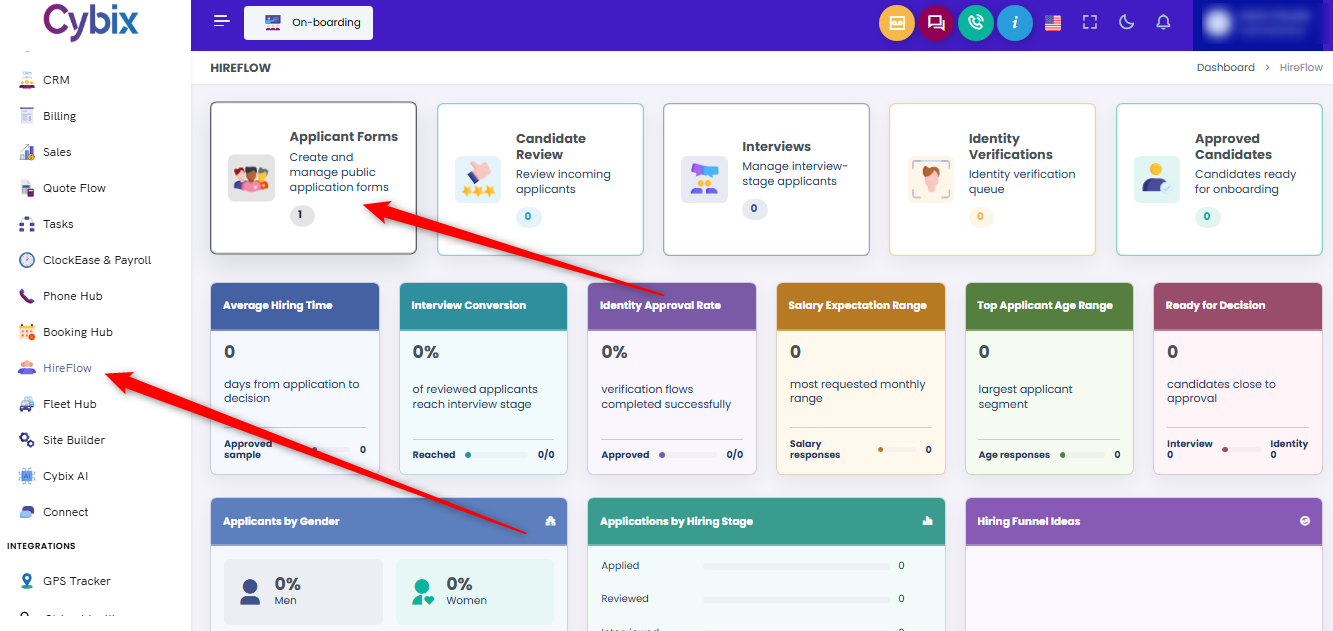
From the left sidebar, select the HireFlow module. Once inside the main dashboard, locate and click on the Applicant Forms card to access the public application management section.
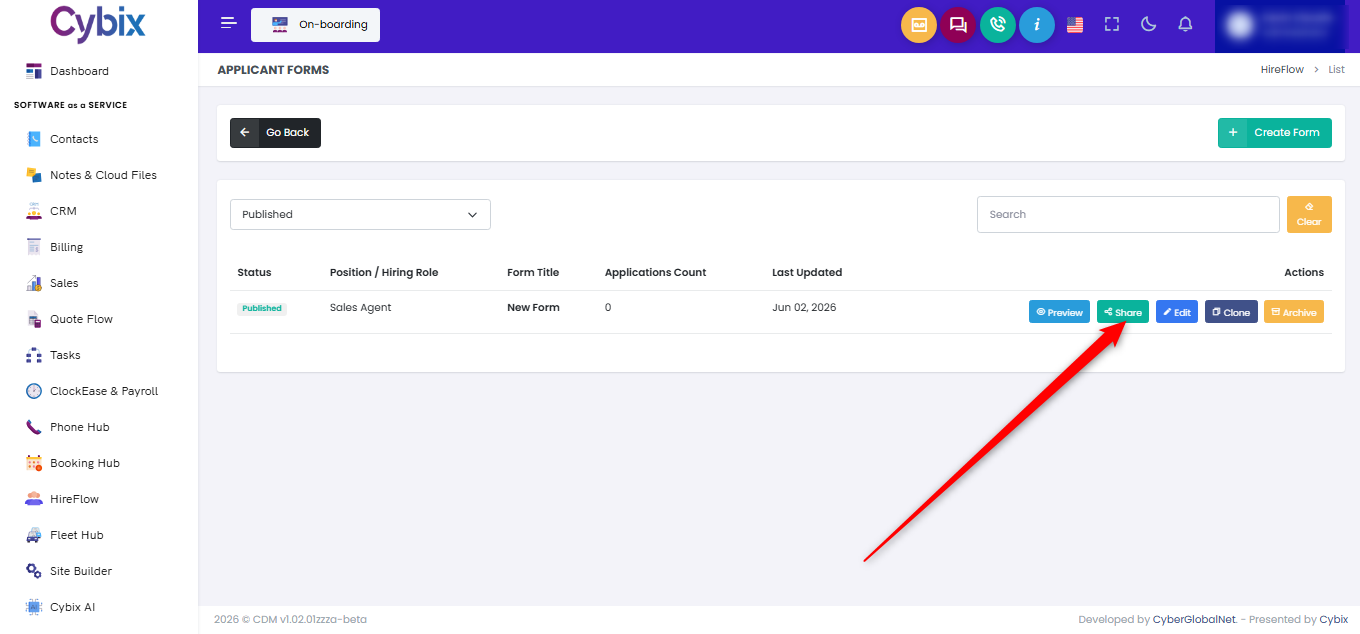
From the applicant forms management list, locate the specific hiring role or form title intended for distribution and look at its corresponding options on the right side under the actions column. To proceed with distribution options, click the green Share button assigned to that specific form.
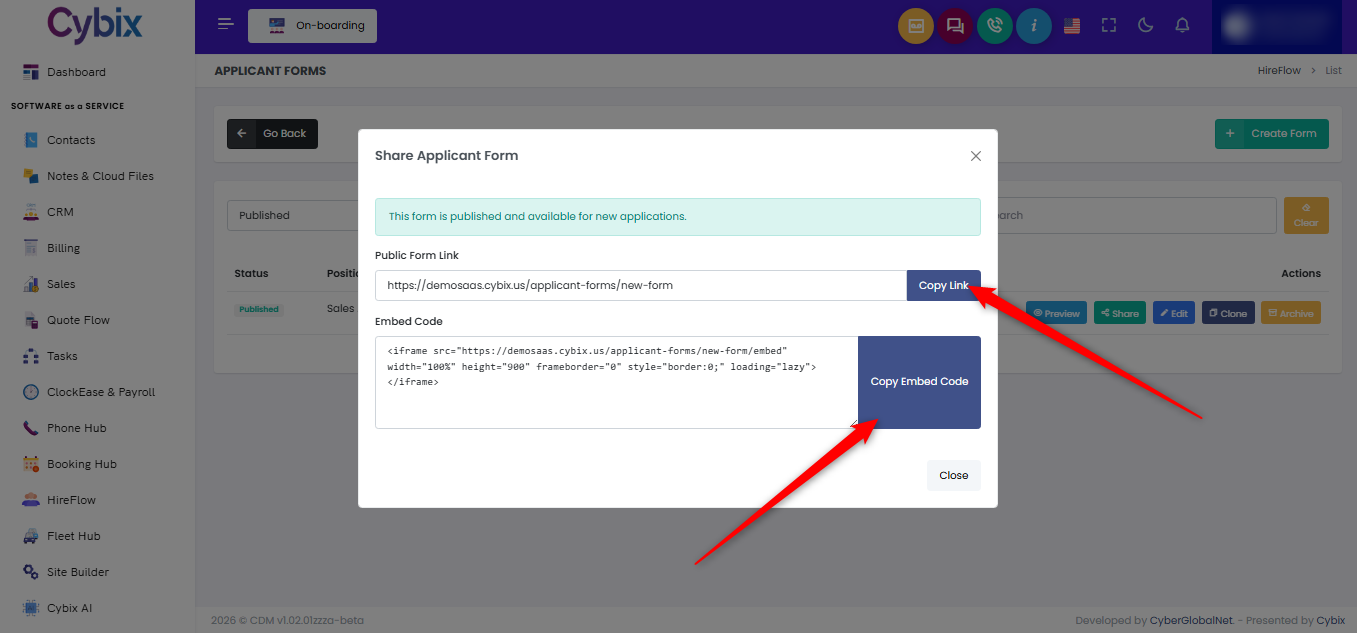
Once the sharing modal overlay appears on the screen, options are presented to either copy the direct URL or secure an integration snippet. To distribute the form as a direct web address, look under the “Public Form Link” section and click the blue Copy Link button to save the URL to the clipboard.
Alternatively, if the intention is to integrate the questionnaire directly into an external webpage, locate the “Embed Code” section lower down in the modal window. Click the larger blue Copy Embed Code button to instantly grab the responsive iframe HTML structure for seamless website integration.