Categories
 Agentic Ailune
 Profile
 Contacts
 Notes & Cloud Files
 CRM
CRM Billing
 Quote Flow
 Tasks
Tasks ClockEase & Payroll
 Phone Hub
 Booking Hub
 Fleet Hub
 HireFlow
 Cybix AI
 Connect
 Administration
 Sales & Operations
 Video Meeting
- Cybix App
- About the development company.
- About my Membership
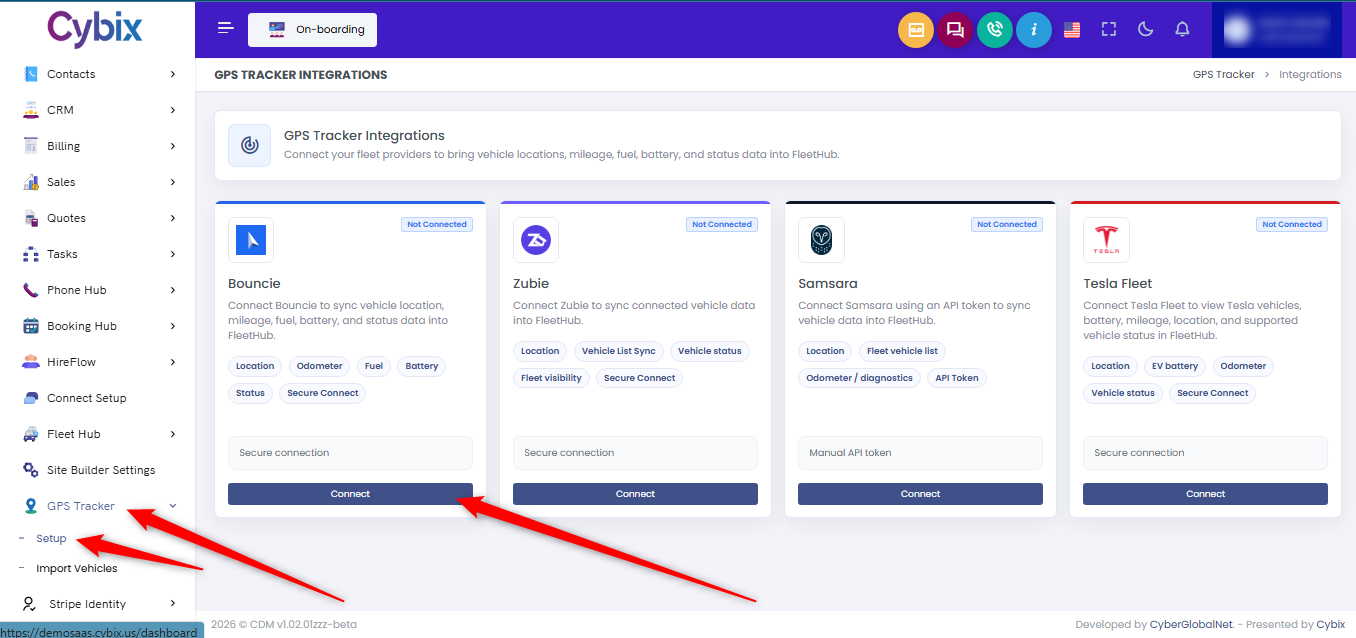
To connect a GPS tracking provider to Cybix, From the left sidebar, go to the “Module Manager” section and click on “GPS Tracker”. This will expand a menu with the module’s management options. Click on “Setup” to open the gps providers management page. This section allows you to integrate supported GPS platforms and automatically synchronize vehicle data with Fleet Hub.
On the integrations page, you will see a list of available providers, including Bouncie, Zubie, Samsara, and Tesla Fleet. Each integration card displays the type of information that can be synchronized, such as vehicle location, mileage, fuel level, battery status, diagnostics, and vehicle visibility.
Select the provider you want to connect and enter the required credentials in the connection field. Depending on the provider, this may be a secure connection key, access token, or API token supplied by the GPS platform.
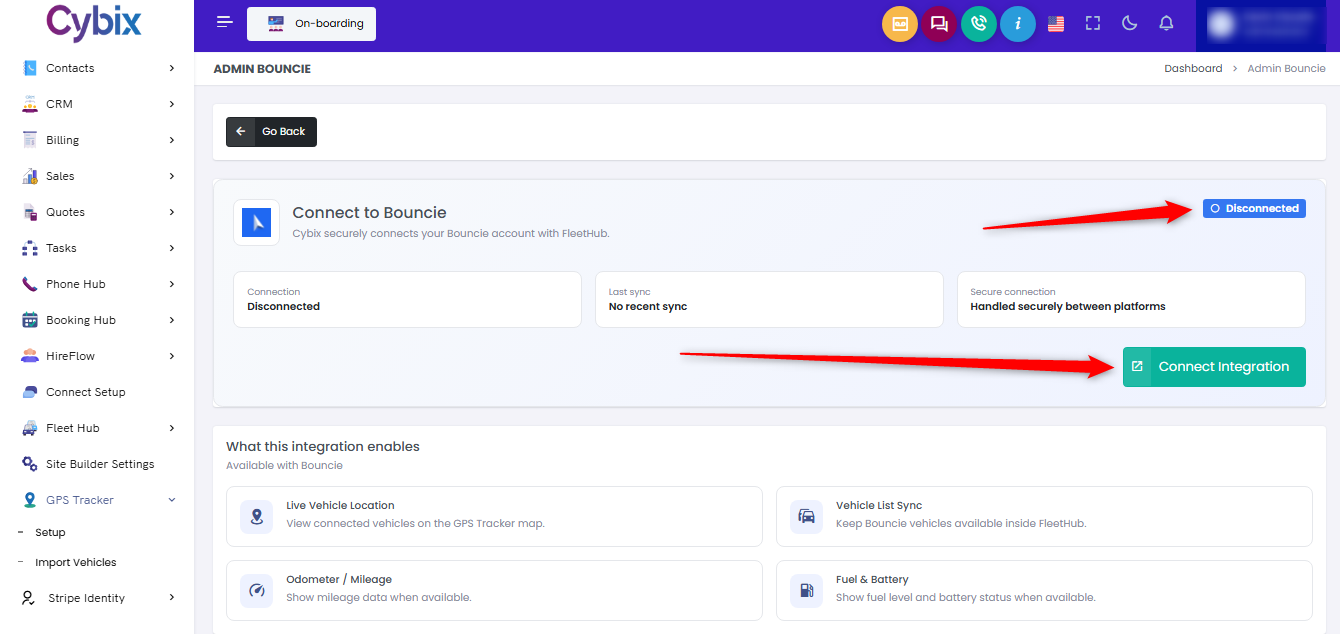
Once the provider has been selected, ou will be taken to the provider setup screen , click the ”Connect Integration” button. Cybix will validate the information and establish a secure connection with the selected provider.
After a successful connection, vehicle data will begin syncing automatically with Fleet Hub, allowing you to monitor locations, mileage, battery levels, status information, and other supported telemetry directly within the platform. The integration status will also update to indicate that the provider is connected and actively syncing data.