Categories
 Profile
 Contacts
 Notes & Cloud Files
 CRM
CRM Billing
 Quote Flow
 Tasks
Tasks ClockEase & Payroll
 Phone Hub
 Booking Hub
 Fleet Hub
 HireFlow
 Cybix AI
 Connect
 Administration
 Sales & Operations
 Video Meeting
- Cybix App
- About the development company.
- About my Membership
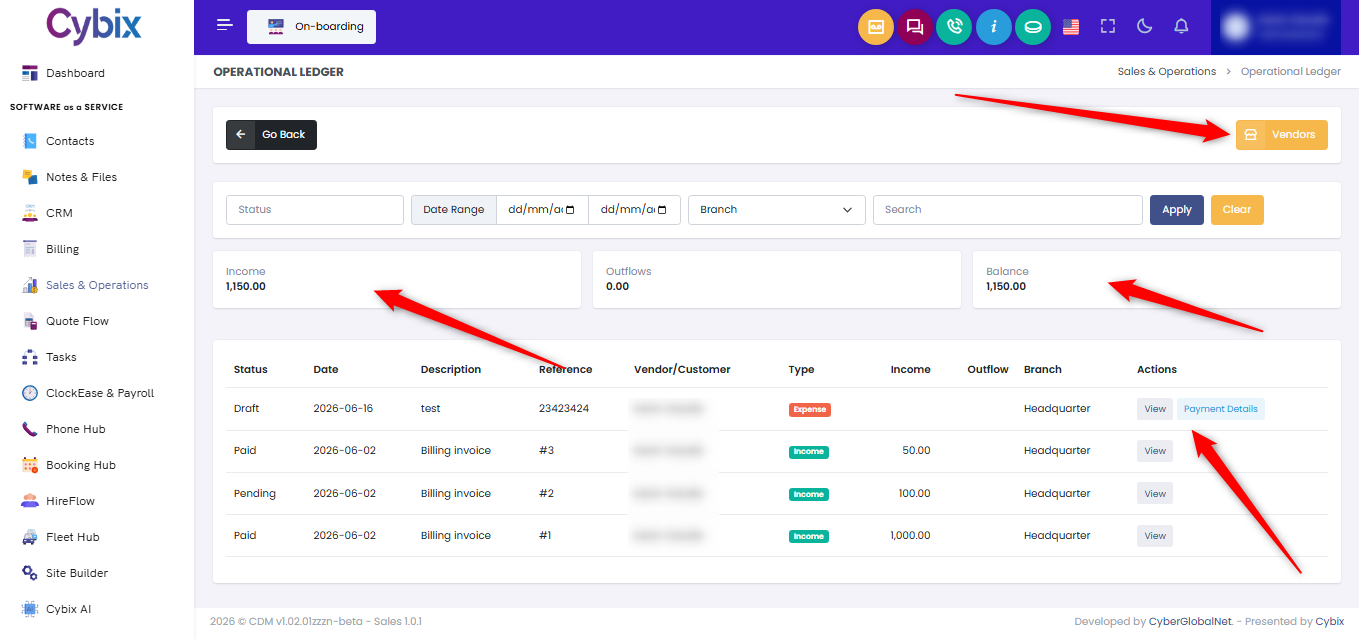
From the left sidebar, select the Sales & Operations module. Once inside the main dashboard panel, locate and click on the Ledger card to access the financial tracking registry for business balances.
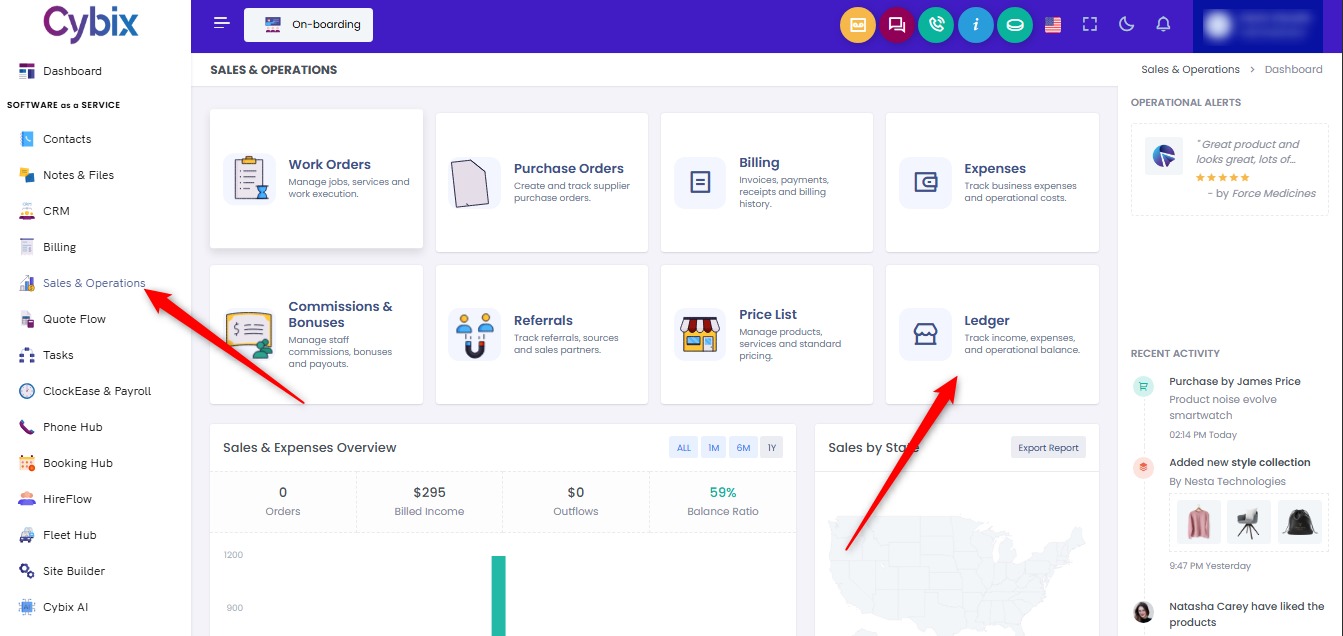
Within this view, you can check real-time dynamic total cards displaying your overall Income, Outflows, and current accounting Balance. To manage external merchant contacts, click the yellow Vendors button located in the upper right corner.
To narrow down the transactional history grid, utilize the horizontal filtering bar stretching across the top:
-
Filter entries by transaction Status or select specific operational locations using the Branch dropdown menu.
-
Establish custom chronological boundaries using the Date Range calendar selectors.
-
Isolate specific logs by entering text or reference numbers directly into the Search input box.
Click the dark blue Apply button to update the data matrix based on your chosen criteria, or click the yellow Clear button to restore the default overview. For individual row items, look under the actions column to click View for record parameters or Payment Details to inspect granular billing data.