Categories
 Agentic Ailune
 Profile
 Contacts
 Notes & Cloud Files
 CRM
CRM Billing
 Quote Flow
 Tasks
Tasks ClockEase & Payroll
 Phone Hub
 Booking Hub
 Fleet Hub
 HireFlow
 Cybix AI
 Connect
 Administration
 Sales & Operations
 Video Meeting
- Cybix App
- About the development company.
- About my Membership
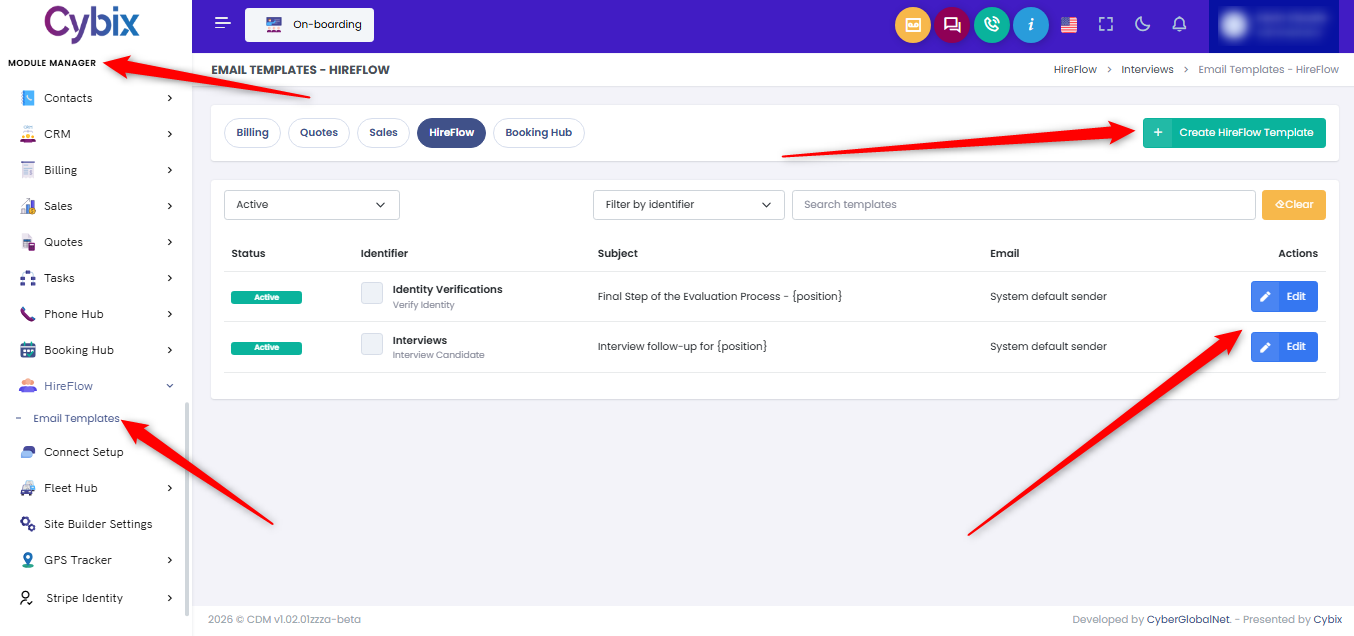
From the left sidebar menu, in the Module Manager section, expand the HireFlow section and select the Email Templates option to access the communications dashboard. To establish an entirely new message layout, click the green Create HireFlow Template button located at the top right of the workspace. Alternatively, to modify an existing system message, locate the specific template row—such as Identity Verifications or Interviews—and click its corresponding blue Edit button on the right side under the actions column.
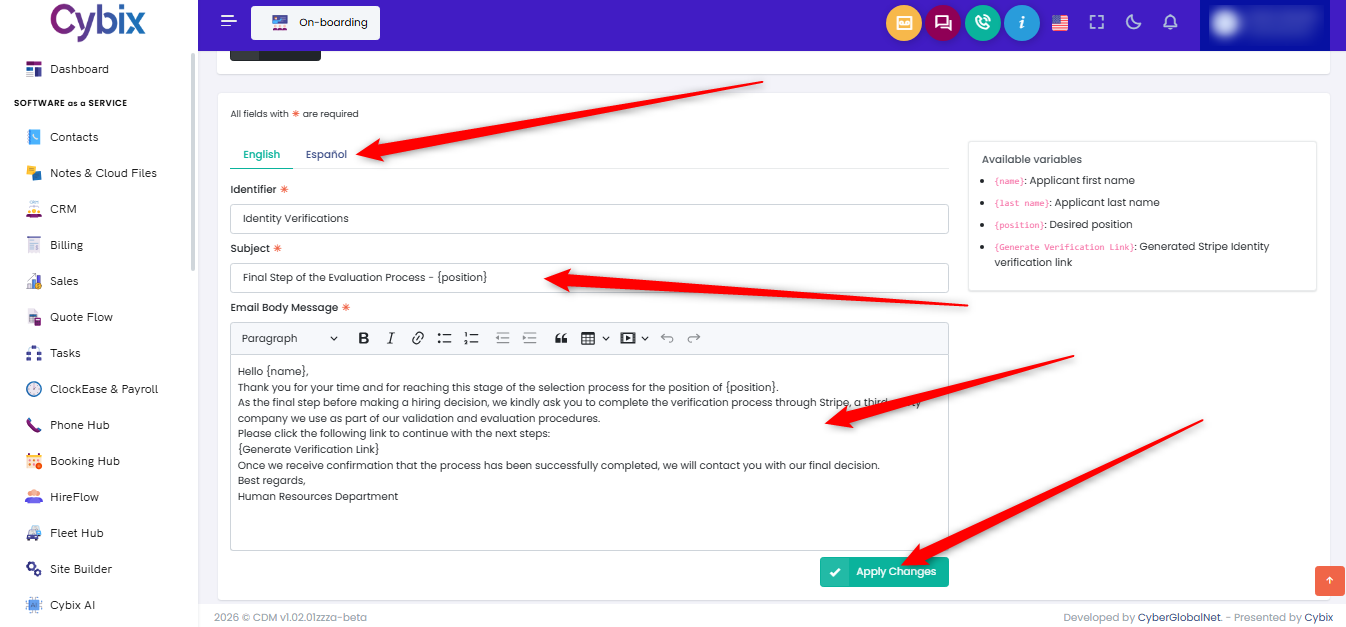
Once inside the template editor configuration window, select the preferred language tab, such as English or Español, near the top of the form. Proceed to update the communication text by filling out the designated Subject line field and tailoring the message content within the Email Body Message text editor box. To complete the modifications and update the system configuration, scroll to the bottom of the workspace and click the teal Apply Changes button.