Categories
 Profile
 Contacts
 Notes & Cloud Files
 CRM
CRM Billing
 Quote Flow
 Tasks
Tasks ClockEase & Payroll
 Phone Hub
 Booking Hub
 Fleet Hub
 HireFlow
 Cybix AI
 Connect
 Administration
 Sales & Operations
 Video Meeting
- Cybix App
- About the development company.
- About my Membership
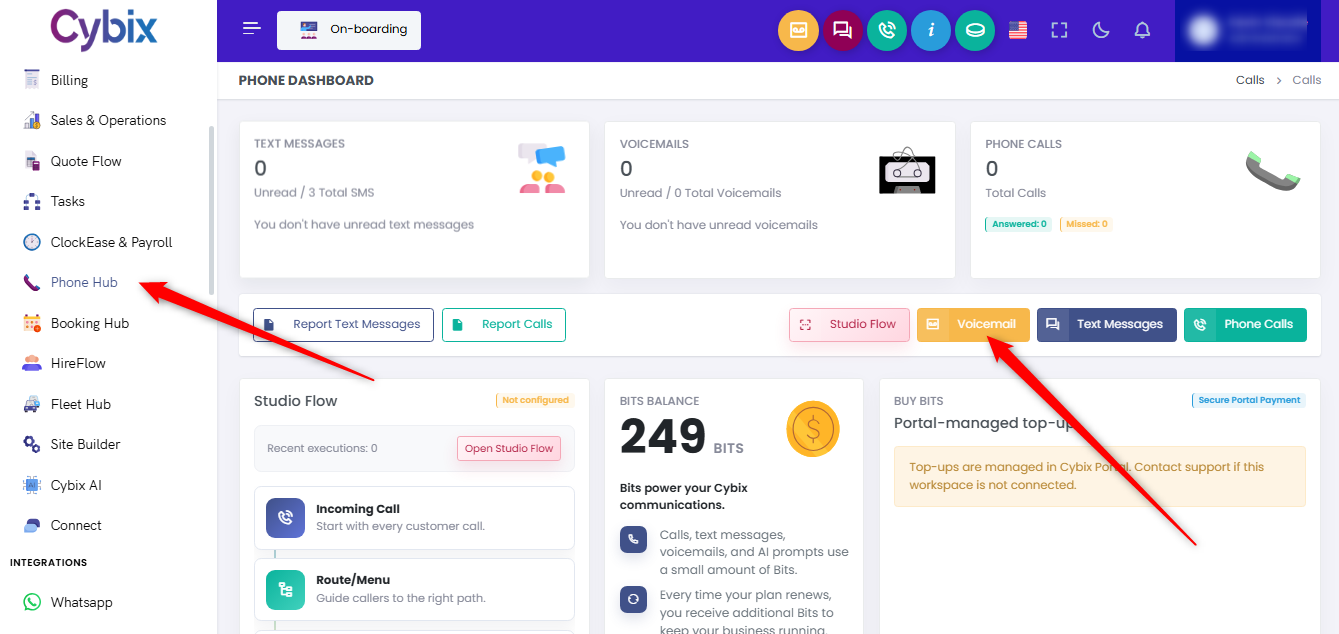
From the left sidebar, select the Phone Hub module. Inside the main phone dashboard panel, locate the action buttons in the center and click on the yellow Voicemail button.
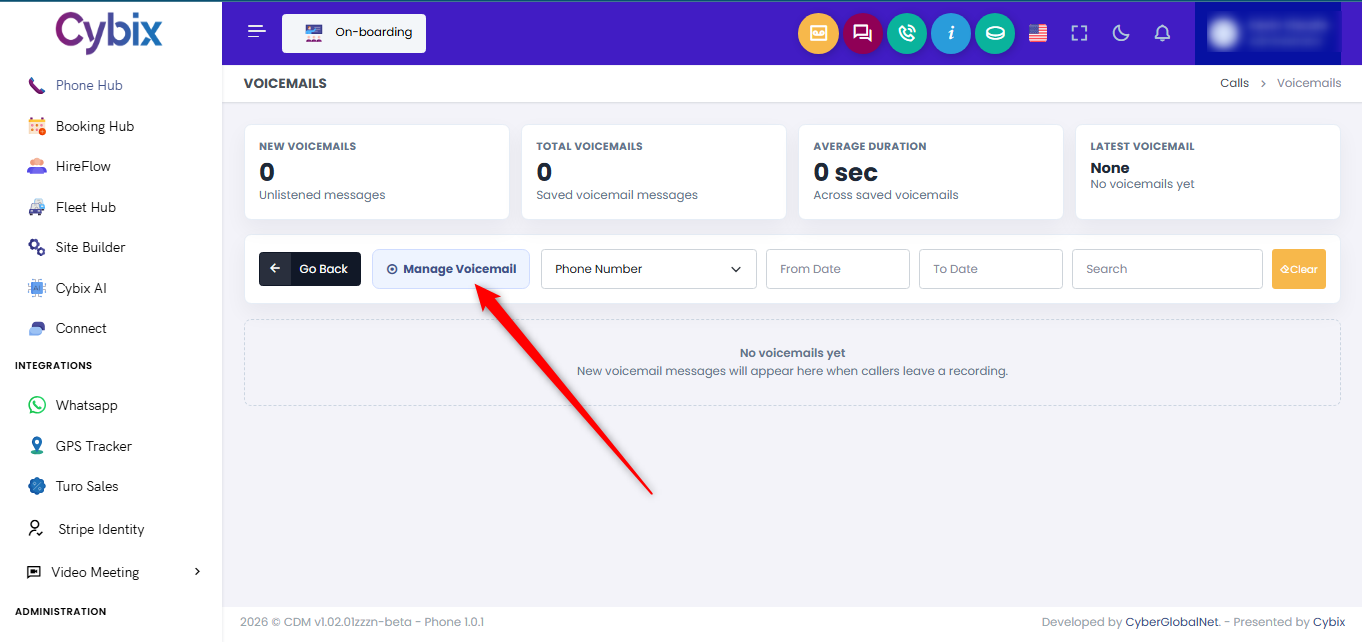
Once inside the dedicated voicemails directory log, click the white Manage Voicemail button with the target icon to launch the customization window.
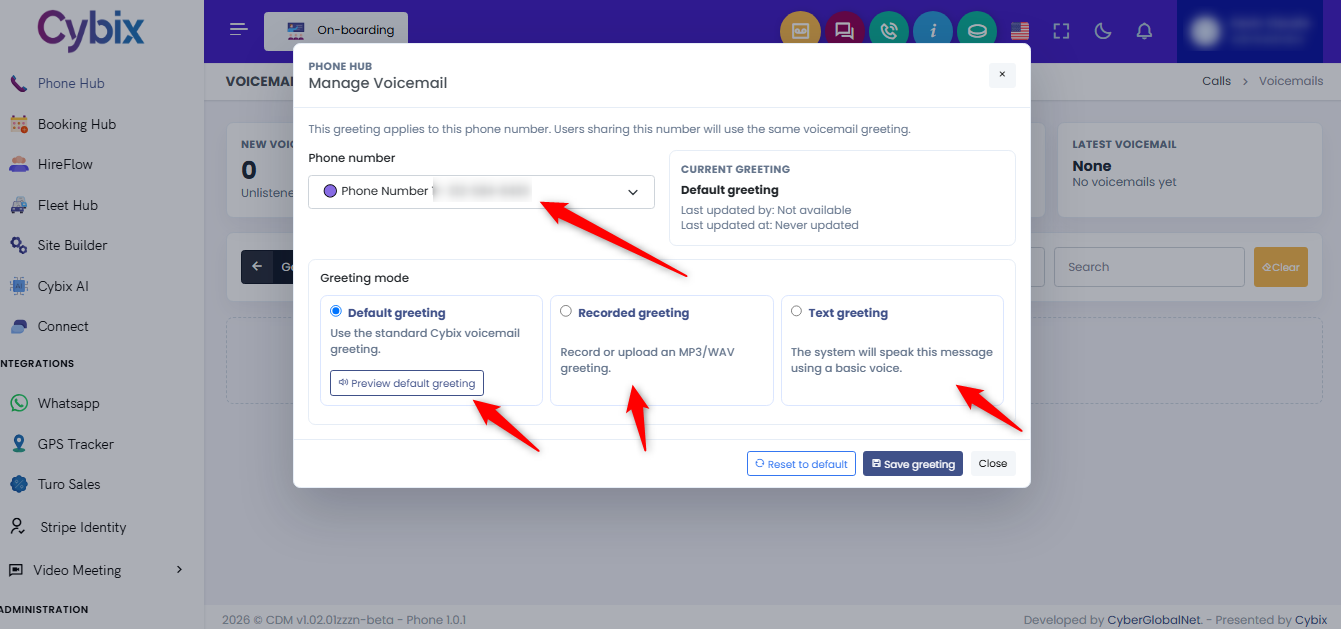
Inside the configuration window, select your target line via the Phone number dropdown menu. Then, choose one of the three available options under Greeting mode:
-
Default greeting: Select this option to utilize the standard pre-recorded platform audio. You can preview it by clicking the Preview default greeting button.
-
Recorded greeting: Choose this setting if you want to manually record a personalized prompt or upload a custom MP3 or WAV audio file.
-
Text greeting: Select this choice to type custom text that the system automated reader will synthesize into a basic voice message.
Once you have finalized your configuration, click the dark blue Save greeting button at the bottom right of the window to apply the changes.