Categories
 Profile
 Contacts
 Notes & Cloud Files
 CRM
CRM Billing
 Quote Flow
 Tasks
Tasks ClockEase & Payroll
 Phone Hub
 Booking Hub
 Fleet Hub
 HireFlow
 Cybix AI
 Connect
 Administration
 Sales & Operations
 Video Meeting
- Cybix App
- About the development company.
- About my Membership
Follow this structural workflow to locate, open, and share your public scheduling links with your clients utilizing the mobile interface:
-
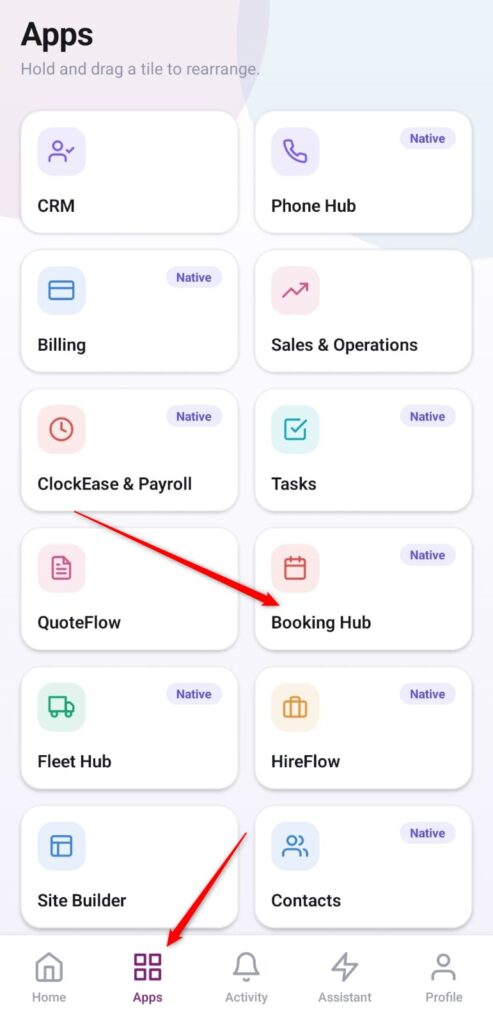
Open the App Directory: On the bottom navigation bar of the application, tap the Apps menu button represented by the four-square layout icon.
-
Access the Booking Center: Within the operational grid checklist, locate and tap the Booking Hub module card.
-
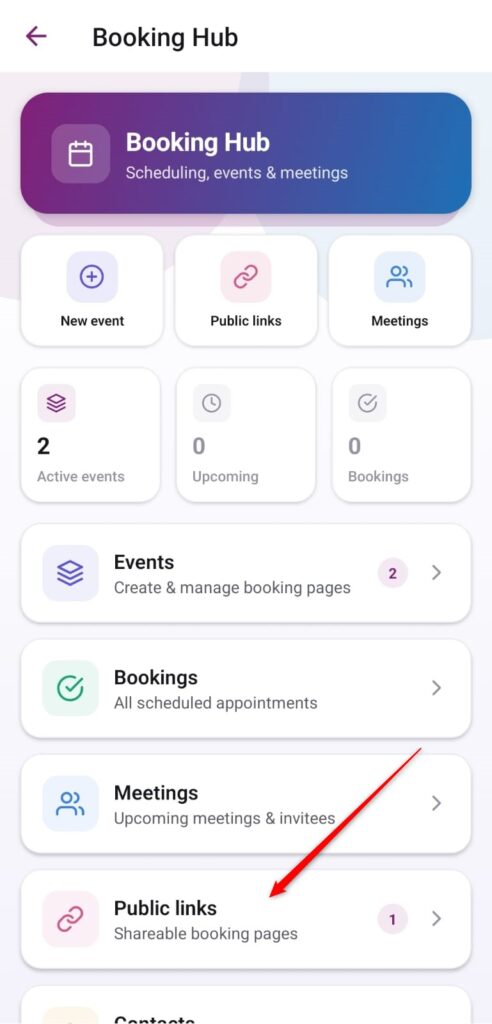
Open the Public Links Section: From the primary hub control panel dashboard, scroll down and select the management row labeled Public links (Shareable booking pages).
-
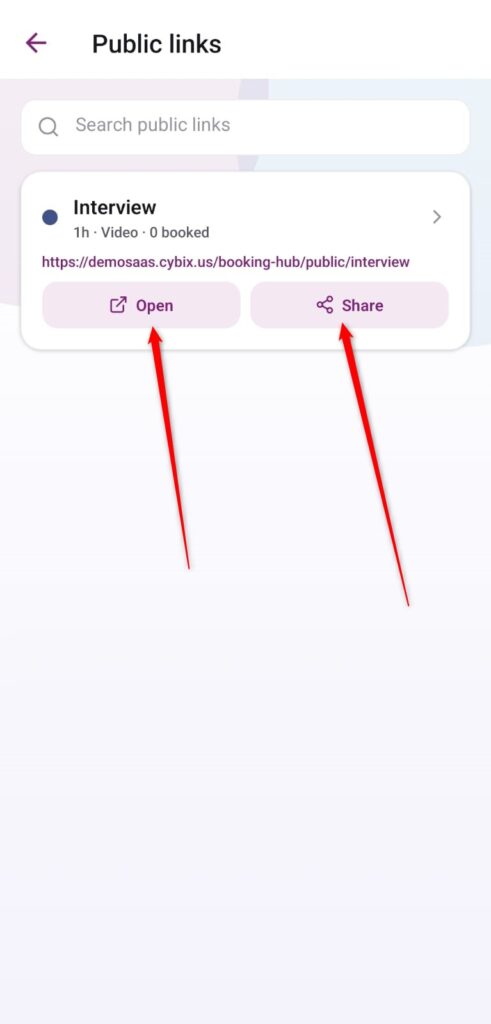
Manage Link Action Commands: Within your public directory list, locate the specific scheduling entry you want to distribute (e.g., “Interview”) and deploy one of the two quick-action shortcuts:
-
Open: Tap this command bar to directly view and preview the scheduling website layout inside your mobile device’s built-in web browser.
-
Share: Tap this action tool to immediately pull up your device’s native utility menu to copy the destination URL string or forward it directly to clients via messaging platforms, email, or corporate social channels.
-