Categories
 Agentic Ailune
 Profile
 Contacts
 Notes & Cloud Files
 CRM
CRM Billing
 Quote Flow
 Tasks
Tasks ClockEase & Payroll
 Phone Hub
 Booking Hub
 Fleet Hub
 HireFlow
 Cybix AI
 Connect
 Administration
 Sales & Operations
 Video Meeting
- Cybix App
- About the development company.
- About my Membership
Ailune works as an intelligent agent designed to respond, log interactions, and assist your team.
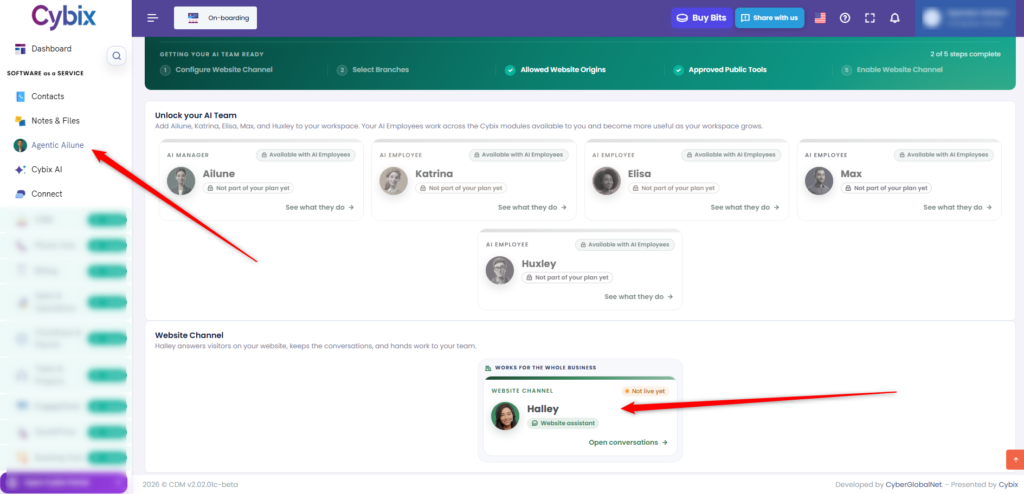
In the main menu located on the left sidebar, click on the “Agentic Ailune” option. This will open the main panel of your AI team to manage the different agents. Scroll to the bottom of the screen until you find the section called “Website Channel”. In this section, you will see the card for the assistant configured for your website. Click directly on this card to open the interaction manager.
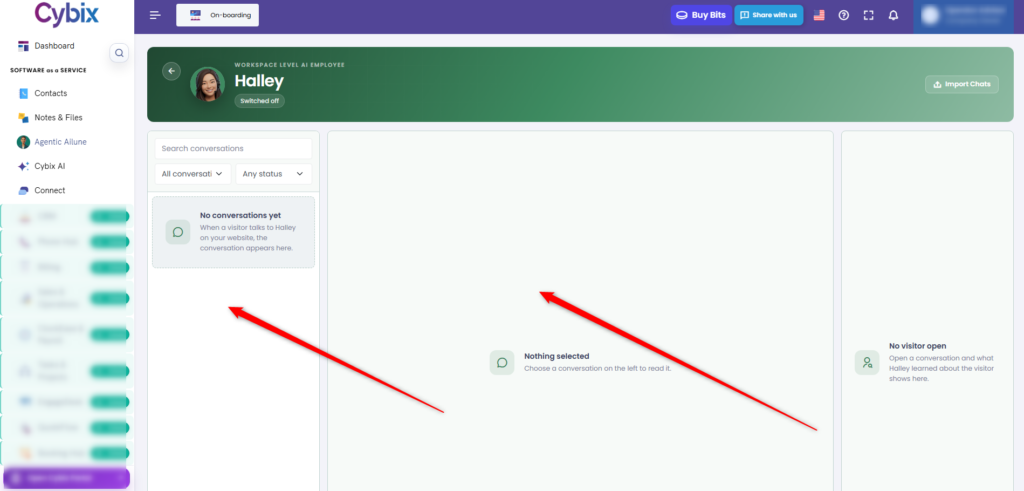
On the left side of the new screen, you will see a side panel where all visitor conversations will appear. Above this list, you have search tools and dropdown filters to find specific chats based on their status. To read the history of a chat, click on one of the conversations in the left list. The central area of the screen, which initially shows “Nothing selected”, will display the entire content of the conversation once selected.