Categories
 Profile
 Contacts
 Notes & Cloud Files
 CRM
CRM Billing
 Quote Flow
 Tasks
Tasks ClockEase & Payroll
 Phone Hub
 Booking Hub
 Fleet Hub
 HireFlow
 Cybix AI
 Connect
 Administration
 Sales & Operations
 Video Meeting
- Cybix App
- About the development company.
- About my Membership
Follow these steps to audit your financial performance metrics, collections, and structural tracking logs for historical invoices:
-
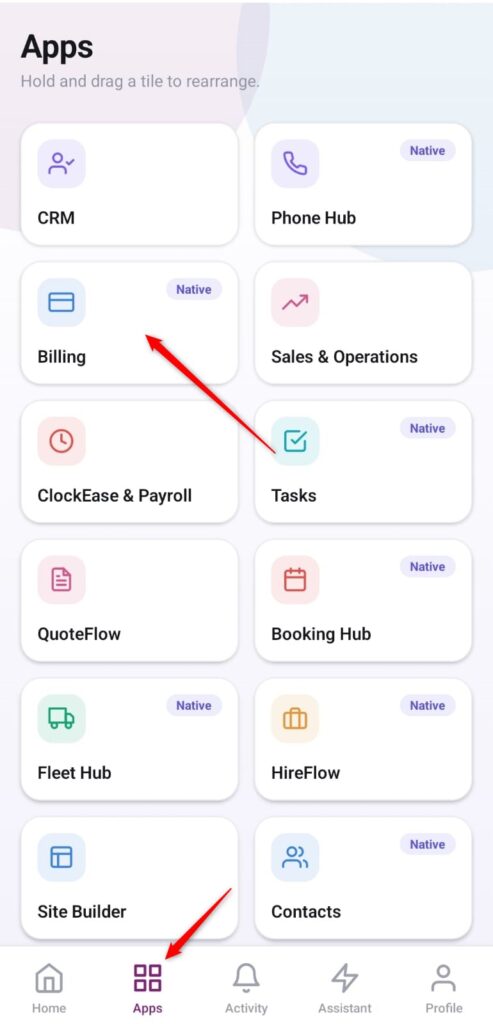
Open the App Directory: On the bottom navigation bar of the application, tap the Apps menu button (represented by the four-square icon).
-
Access the Billing Center: Within the grid checklist, locate and tap the Billing module card.
-
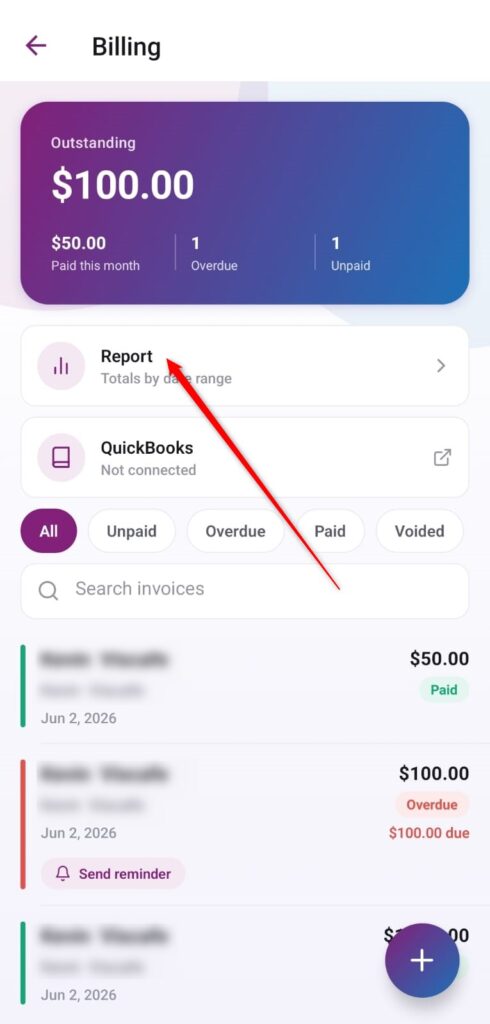
Open the Statement Report: On the main workspace dashboard, tap the primary selection row labeled Report (Totals by date range) to open your financial summary workspace.
-
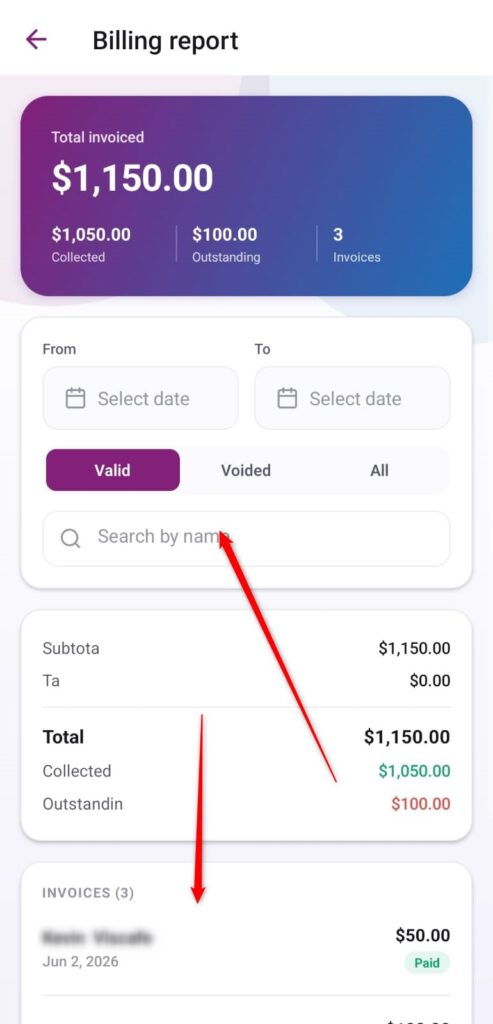
Filter by Date Ranges: At the top section of the report layout, utilize the From and To calendar picker cards to isolate a specific accounting time window.
-
Segment by Status and Customer Name:
-
Tap the layout toggle options (Valid, Voided, or All) to filter valid documents, canceled logs, or comprehensive grand totals.
-
To find data for a single specific user, type their identity inside the Search by name input box.
-
-
Review Summary Metrics and History: Inspect the primary balance card parameters (Total invoiced, Collected, and Outstanding). Scroll to the lower INVOICES card sector to browse the full row list breakdown displaying individual statements along with their respective payment classifications.