Categories
 Agentic Ailune
 Profile
 Contacts
 Notes & Cloud Files
 CRM
CRM Billing
 Quote Flow
 Tasks
Tasks ClockEase & Payroll
 Phone Hub
 Booking Hub
 Fleet Hub
 HireFlow
 Cybix AI
 Connect
 Administration
 Sales & Operations
 Video Meeting
- Cybix App
- About the development company.
- About my Membership
From the left sidebar, navigate to the Integrations section and click Video Meeting. This will expand a menu displaying the available meeting platforms. Select Zoom to open the meeting link generator page.
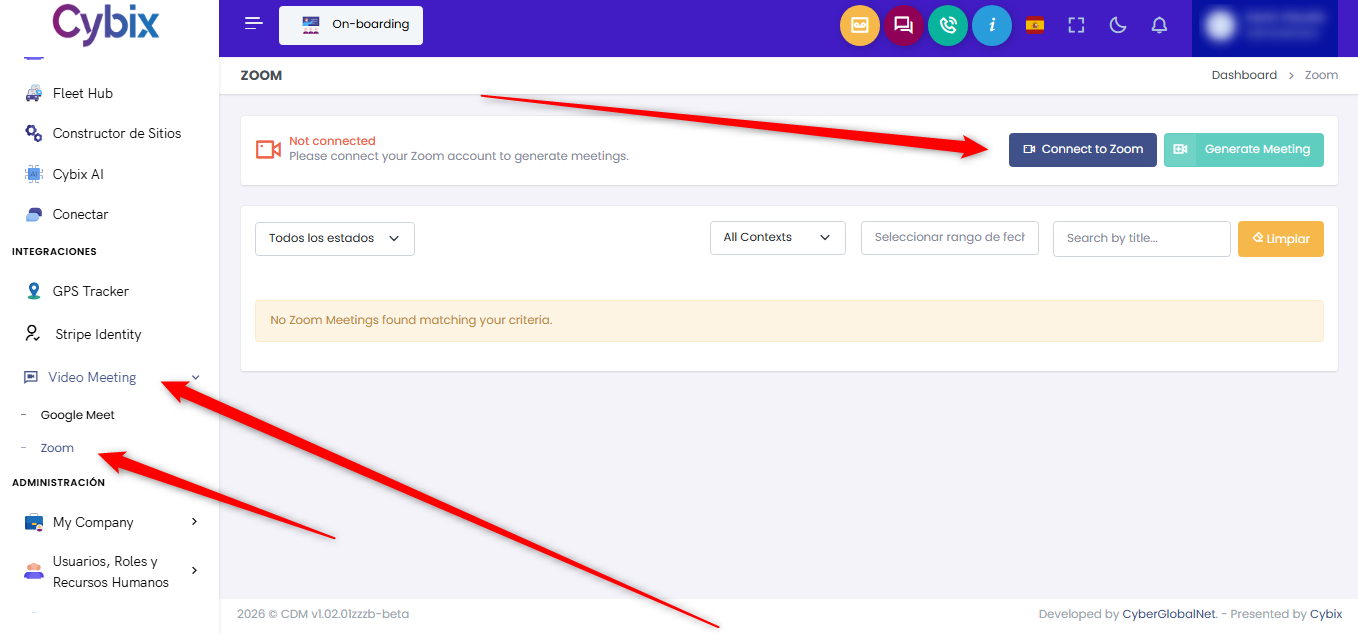
To connect your Zoom account, click the Connect to Zoom button. This will open the Zoom integration page, where you can review the connection details and status. When you are ready, click Connect My Account. You will be redirected to Zoom’s authorization page, where you must sign in and grant the requested permissions.
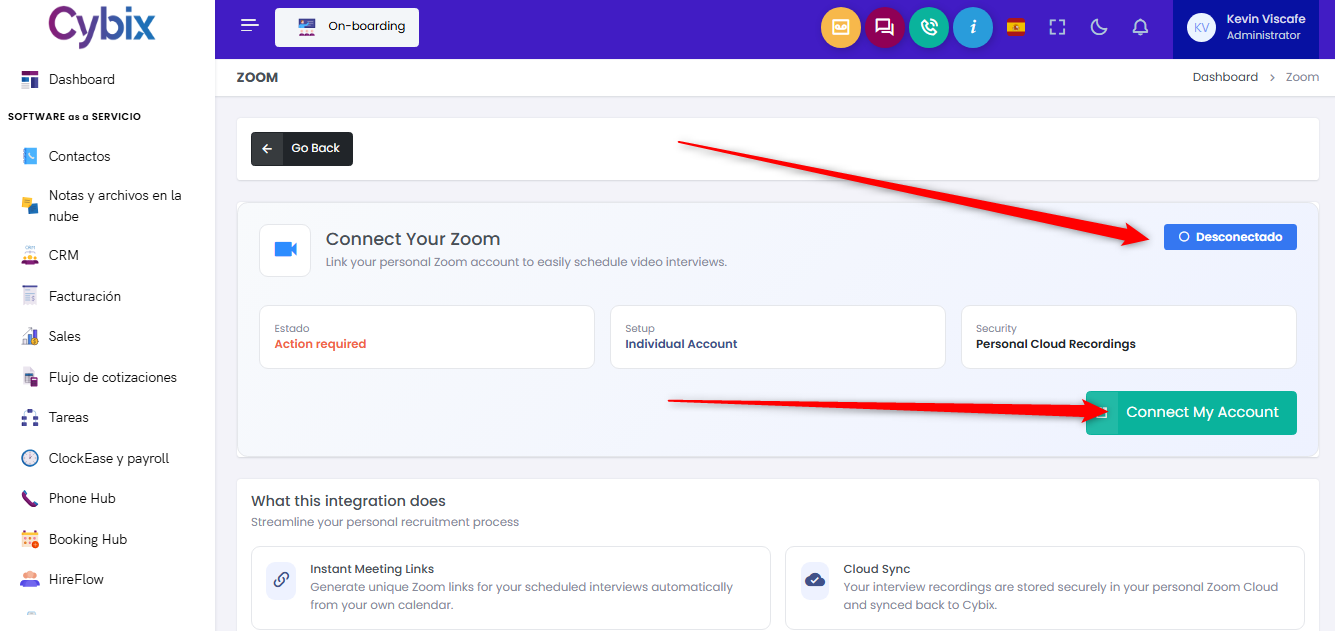
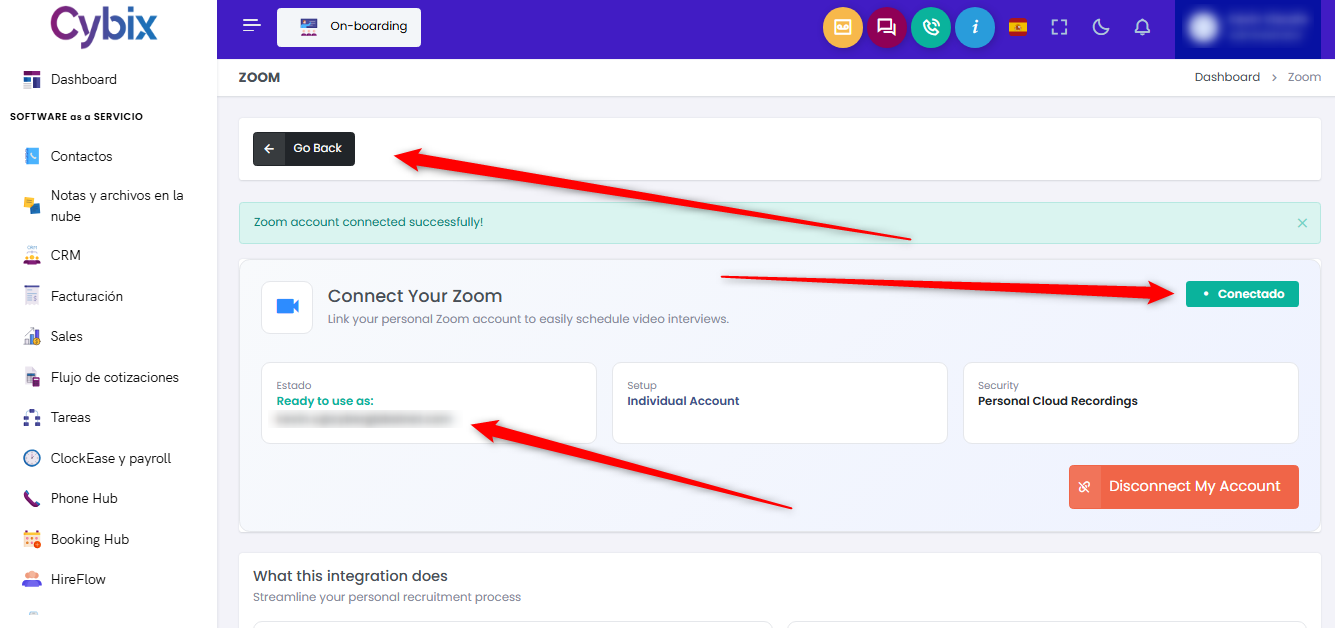
Once the authorization process is complete, you will be returned to Cybix and the integration status will indicate that your account has been successfully connected. Click the Go Back button to return to the meeting link generator page.
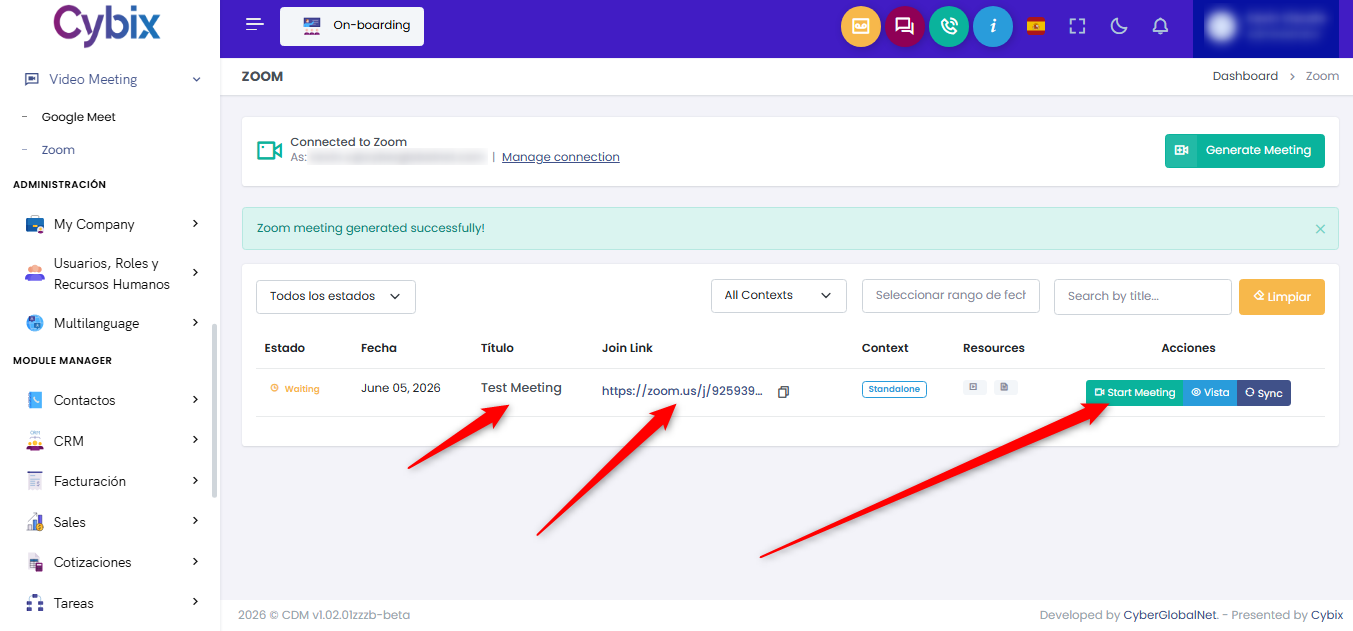
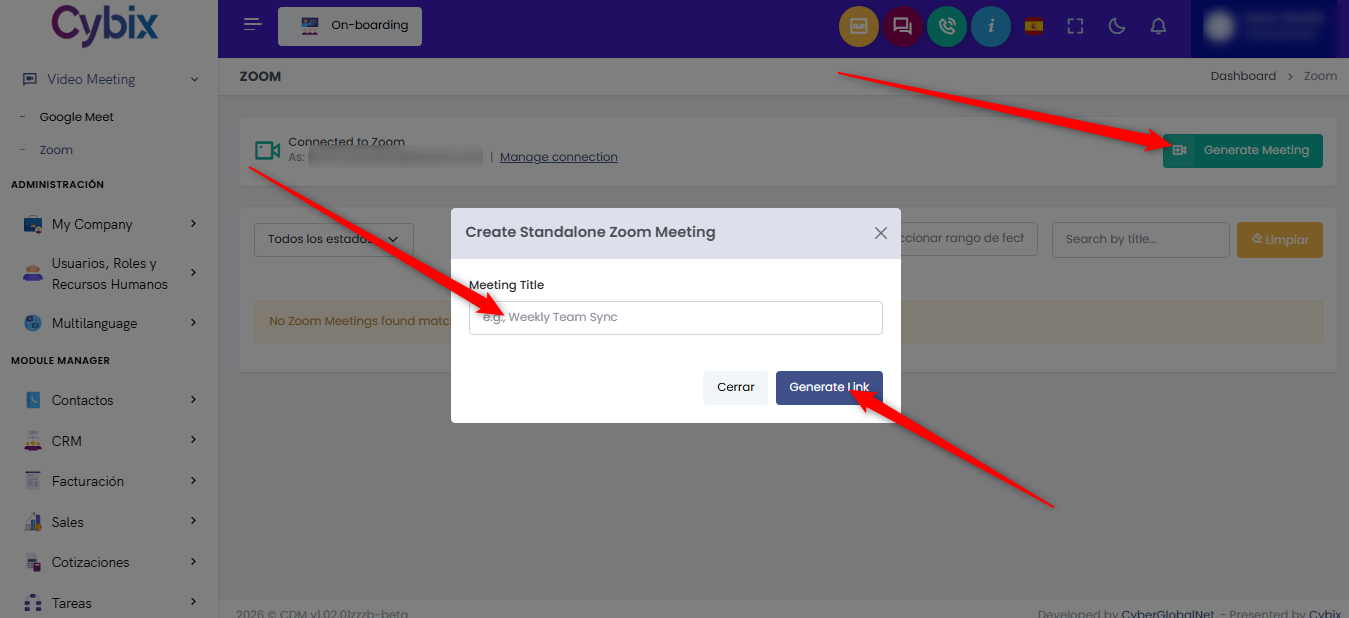
To create a new Zoom meeting, click the + Generate Link button. A pop-up window will appear where you can enter the meeting name and any additional details required. After providing the information, click Generate Link.
A new meeting record will be created and displayed in the list. From there, you can access the meeting, copy the generated Zoom link, and share it with participants.