Categorías
 Perfil
 Contactos
 Notas y Archivos en la Nube
 CRM
CRM Facturación
 Flujo de Cotizaciones
 Tareas
 ClockEase y Payroll
 Phone Hub
 Booking Hub
 Fleet Hub
 HireFlow
 IA Cybix
 Conectar
 Administración
 Sales & Operations
 Video Meeting
- Cybix App
- Acerca de la empresa desarrolladora
- Acerca de mi membresía
Siga estos pasos para realizar una llamada saliente desde su dispositivo móvil utilizando las líneas comerciales registradas de su empresa:
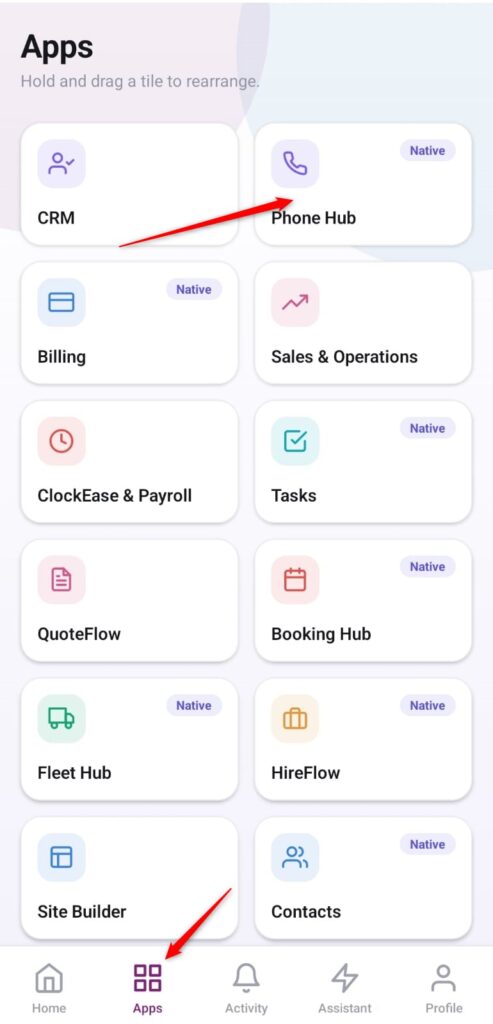
- Abra la aplicación: En la barra de navegación inferior, pulse el botón de menú Aplicaciones (representado por el icono de cuatro cuadrados).
- Acceda a Phone Hub: En la lista desplegable, localice y pulse la tarjeta del módulo Phone Hub.
-
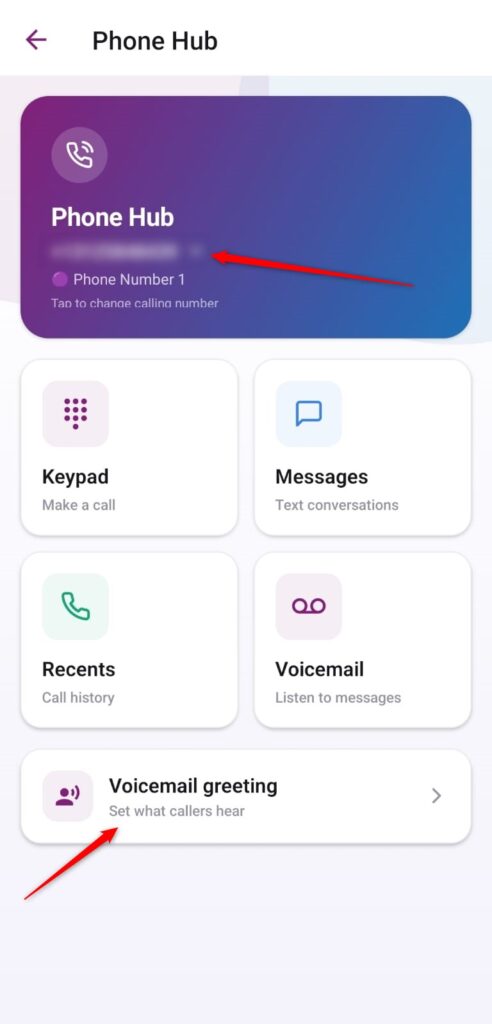
Open Greeting Settings: Scroll to the bottom area of the screen, locate the row labeled Voicemail greeting (Set what callers hear), and tap the arrow indicator.
-
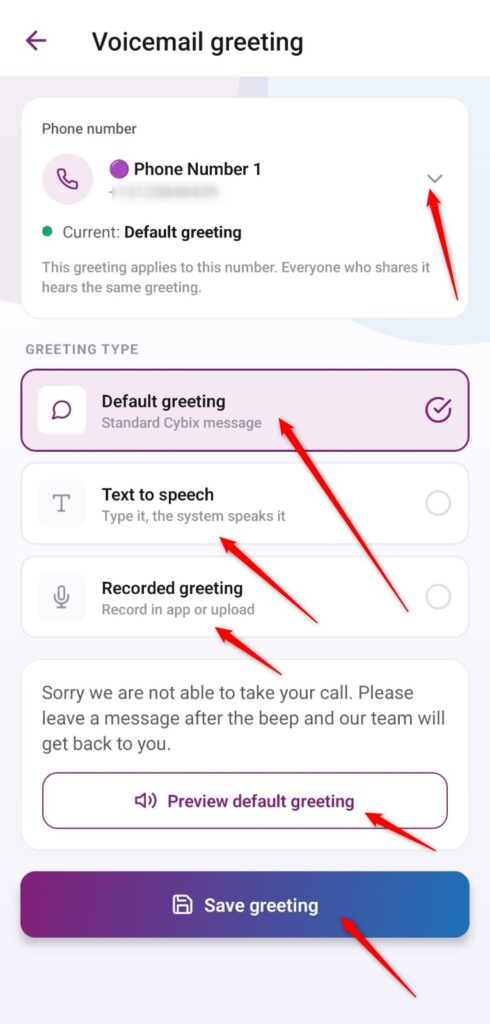
Select Your Business Number: If your account manages multiple lines, tap the dropdown arrow in the top card section to assign the configuration to the correct number designation (e.g., Phone Number 1).
-
Choose Your Greeting Type: Tap the selection circle on the right side of your preferred delivery layout method:
-
Default greeting: Implements the platform’s baseline, pre-recorded Cybix message audio stream.
-
Text to speech: Allows you to type a custom written script so the system can dynamically vocalize it.
-
Recorded greeting: Enables you to record your own custom voice track in-app or upload an existing audio file.
-
-
Preview and Save: If you are using the default option, you can click the Preview default greeting action bar to review the playback sound. Once finalized, tap the prominent blue Save greeting button at the bottom of the interface to deploy the settings.